1997: Microsoft Outlook Launches and Conquers the Corporate Inbox
On January 16, 1997, Microsoft shipped Office 97, and tucked inside the suite was a program that would quietly become the most consequential piece of email software ever made. Microsoft Outlook wasn’t the first email client, wasn’t the most innovative, and wasn’t even particularly beloved. But it had one advantage that trumped everything else: it came bundled with the software that every office in the world was already using.
The Product That Replaced Two Others
Outlook didn’t appear out of thin air. Microsoft had been selling two separate productivity tools — the Exchange Client for email and Schedule+ for calendaring. Both worked, neither excited anyone. The idea behind Outlook was simple but powerful: combine email, calendar, contacts, and task management into one unified application. Bill Gates had been pushing the concept of “information at your fingertips” since the early 1990s, and Outlook was supposed to be the realization of that vision for office workers.
The lead development team, working out of Microsoft’s Redmond campus, built Outlook on top of the Messaging Application Programming Interface (MAPI), which allowed deep integration with Microsoft Exchange Server. This wasn’t just an email client — it was the front door to Microsoft’s entire enterprise communication ecosystem.
The Bundling Strategy That Changed Everything
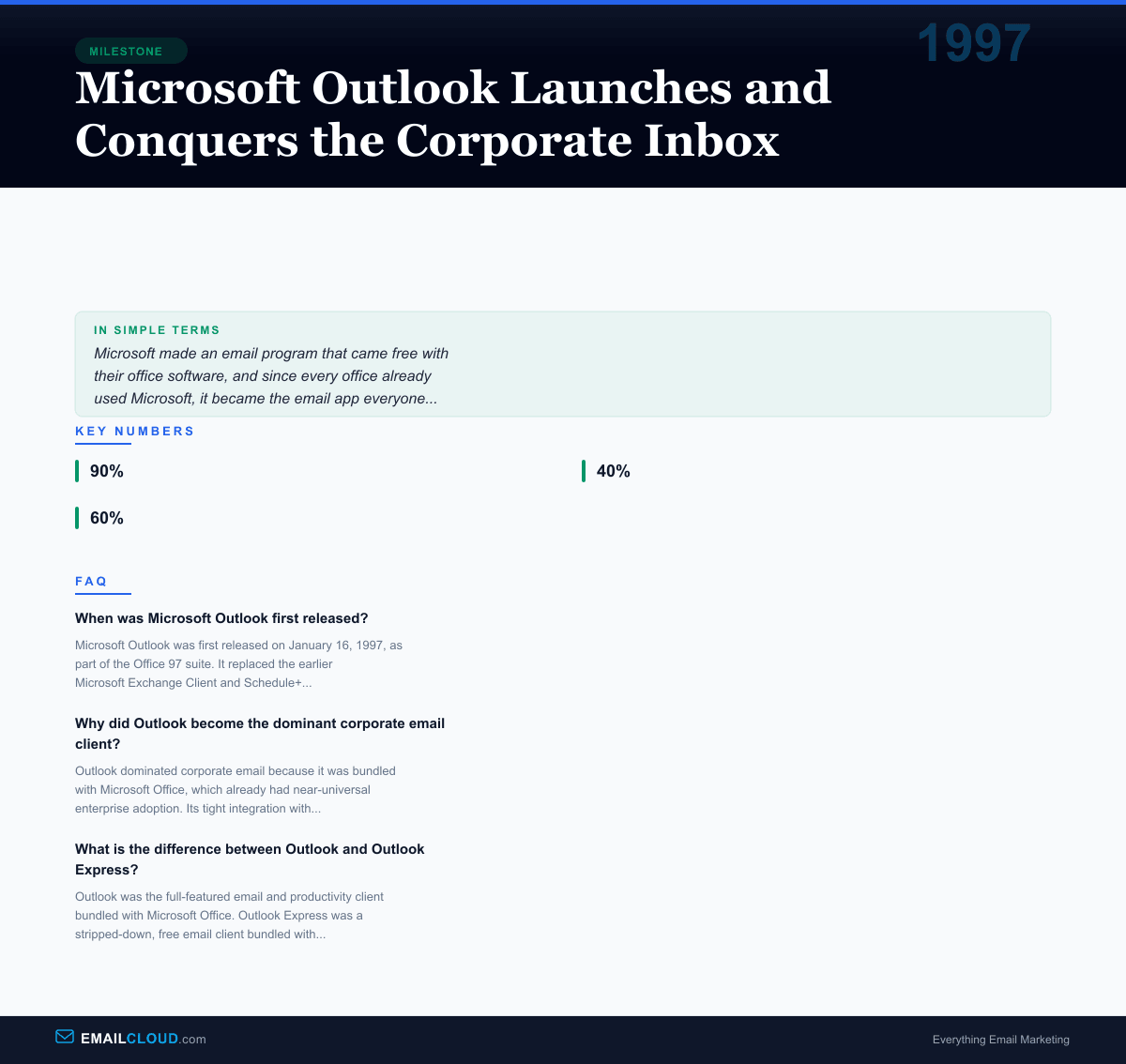
Here’s the thing that made Outlook unstoppable: you didn’t have to choose it. It chose you. If your company bought Microsoft Office — and by 1997, roughly 90% of corporations had — Outlook was just there, installed automatically. IT departments didn’t need to evaluate competing email clients, negotiate separate licenses, or train users on a new vendor’s product. Outlook was simply part of the package.
This bundling strategy was devastatingly effective. Competitors like Lotus Notes (IBM), GroupWise (Novell), and Eudora found themselves fighting not against a superior product, but against the inertia of enterprise procurement. When the email client is free with the productivity suite you’re already paying for, the economic argument for alternatives evaporates.
By 2000, Outlook had captured an estimated 40% of the corporate email client market. By 2005, that number had climbed past 60%. Lotus Notes, which had been the enterprise messaging leader, watched its market share erode year after year despite IBM’s best efforts.
The Love-Hate Relationship
For all its dominance, Outlook inspired remarkably little affection. Office workers spent hours every day in the application, and many of those hours were spent wrestling with its quirks. The PST file format — Outlook’s local data storage — became notorious for corruption, sometimes destroying months of email without warning. Microsoft set a default PST file size limit of 2 GB, and when users hit that ceiling, the results could be catastrophic.
The calendar feature, while convenient, introduced the world to the particular misery of meeting invitation chains — accept, decline, tentative, propose new time, forward, and the dreaded “reply all” to a meeting invite with 200 recipients.
And then there were the rendering issues. Outlook used Microsoft Word’s HTML rendering engine rather than a standard browser engine, which meant that HTML emails that looked perfect in every other email client would break in spectacular ways in Outlook. Email designers developed an entire sub-discipline around “Outlook hacks” — special conditional comments, table-based layouts, and VML code needed to make emails render correctly in what was, by far, the most widely used email client in business.
The Impact on Email Marketing
Outlook’s rendering engine became the email marketing industry’s biggest headache — and most important testing target. When more than half your B2B audience is reading emails in Outlook, you build for Outlook first and everything else second. Tools like Litmus and Email on Acid built entire businesses around previewing and testing email renders across multiple versions of Outlook, each with its own rendering quirks.
The introduction of the Outlook junk mail filter in 2003 also shaped how marketers thought about deliverability. Suddenly, getting past the corporate spam filter was just step one — you also had to avoid Outlook’s client-side filtering, which used its own set of rules that didn’t always align with the server-side filters.
The Legacy
Today, Outlook remains the default email client in most enterprises, though it faces more competition than ever. Microsoft itself has been rebuilding the application from the ground up, with the “new Outlook” for Windows launched in 2024 effectively replacing the classic client with a web-based version. Gmail’s rise in both consumer and business markets (via Google Workspace) has eroded Outlook’s monopoly-like position, particularly among startups and small businesses.
But for nearly three decades, Outlook defined what email looked like for the working world. It normalized the integrated inbox — email, calendar, and contacts in one place. It created the expectation that email was not just a communication tool but a productivity platform. And for better or worse, it made “you have a meeting in 15 minutes” the most universally recognized notification in corporate life.
Outlook didn’t win because it was the best email client. It won because it was the most convenient one, delivered at the right time, in the right bundle, to the right buyers. In the history of email, that turned out to be more than enough.
If you’re sending marketing emails to corporate audiences still using Outlook, make sure your messages actually render correctly. Test your subject lines with our free Subject Line Grader and check your copy with the Spam Word Checker to avoid Outlook’s aggressive junk filtering.
Infographic
Share this visual summary. Right-click to save.
Related Events
Frequently Asked Questions
When was Microsoft Outlook first released?
Microsoft Outlook was first released on January 16, 1997, as part of the Office 97 suite. It replaced the earlier Microsoft Exchange Client and Schedule+ applications, combining email, calendar, contacts, and task management into a single program.
Why did Outlook become the dominant corporate email client?
Outlook dominated corporate email because it was bundled with Microsoft Office, which already had near-universal enterprise adoption. Its tight integration with Exchange Server, Active Directory, and other Microsoft infrastructure made it the path of least resistance for IT departments.
What is the difference between Outlook and Outlook Express?
Outlook was the full-featured email and productivity client bundled with Microsoft Office. Outlook Express was a stripped-down, free email client bundled with Internet Explorer and Windows. Despite the similar names, they were completely different programs with different codebases.