SpamTitan Review: The MSP-Friendly Email Security Gateway

Pros
- Exceptional spam catch rate — 99.99% with near-zero false positives
- MSP-friendly multi-tenant architecture with white-labeling
- Very affordable compared to enterprise competitors
- Dual antivirus engines (Bitdefender + ClamAV) for layered protection
Cons
- Reporting and analytics could offer more depth and customization
- No URL rewriting or time-of-click link protection
- Admin UI is functional but visually dated compared to newer platforms
What Is SpamTitan?
SpamTitan is an email security gateway built by TitanHQ, an Irish cybersecurity company that has been protecting inboxes since 1999. The platform filters inbound and outbound email to block spam, phishing attempts, malware, viruses, and other email-borne threats before they reach your users. It is available in two deployment models: SpamTitan Cloud (hosted, SaaS-based) and SpamTitan Gateway (on-premise virtual appliance).
What makes SpamTitan stand out in a crowded market is its positioning. While competitors like Proofpoint and Mimecast target enterprise accounts with complex, expensive deployments, TitanHQ built SpamTitan specifically for SMBs and the managed service providers who serve them. The result is a product that delivers genuinely excellent protection without the cost or complexity that makes enterprise solutions impractical for smaller organizations.
We have tested SpamTitan across multiple client environments over the past several years, and it consistently performs at or above its weight class. This review covers what we found.
Deployment Options
SpamTitan offers two distinct deployment paths, which is more flexibility than most competitors at this price point:
SpamTitan Cloud is the SaaS version. You redirect your MX records to point at SpamTitan’s cloud filtering servers, and clean email gets forwarded to your mail server or cloud email platform (Microsoft 365, Google Workspace, Exchange, etc.). Setup is fast — we had a test domain filtering within 20 minutes. There is nothing to install, no hardware to manage, and TitanHQ handles all updates and infrastructure.
SpamTitan Gateway is a virtual appliance that you deploy on-premise or in your own cloud environment (VMware, Hyper-V, AWS, Azure). This gives you more control over data residency and filtering policies, which matters for organizations with strict compliance requirements. The appliance is lightweight and runs well on modest hardware.
Both versions share the same filtering engine and admin interface. The cloud version is easier to manage; the gateway version gives you more control. For most SMBs and MSPs, the cloud version is the right call.
Key Features We Tested
Spam Filtering and Catch Rates
This is where SpamTitan earns its reputation. TitanHQ claims a 99.99% spam catch rate with a false positive rate of 0.003%, and in our testing, those numbers hold up. We ran SpamTitan alongside two competing gateways for a 30-day period and it consistently caught more spam with fewer legitimate emails ending up in quarantine.
The filtering engine uses a multi-layered approach: RBL checks, Bayesian analysis, heuristic scanning, sender policy verification (SPF, DKIM, DMARC), greylisting, and custom rule sets. Each layer catches what the previous one missed, and the cumulative result is impressively clean inboxes.
Administrators can fine-tune aggressiveness per domain or per user, which is important for organizations where different departments have different tolerance levels. A sales team might want looser filtering to avoid missing prospect emails, while a finance team needs maximum protection against business email compromise.
Dual Antivirus Engines
SpamTitan runs every email attachment through two independent antivirus engines: Bitdefender and ClamAV. This dual-engine approach is significant because no single AV engine catches everything. Bitdefender provides commercial-grade threat detection with rapid signature updates, while ClamAV adds an open-source layer with strong community-driven threat intelligence.
In practice, we saw the dual-engine setup catch several malicious attachments that a single-engine solution missed in parallel testing. The performance overhead is minimal — scanning adds negligible latency to email delivery.
Malware Sandboxing
For suspicious attachments that pass initial AV scanning, SpamTitan can detonate them in a cloud-based sandbox environment. This catches zero-day threats and polymorphic malware that signature-based detection misses. The sandboxing feature analyzes file behavior in an isolated environment and blocks delivery if malicious activity is detected.
This is a feature you typically see in products costing three to five times what SpamTitan charges, so its inclusion here represents genuine value.
Data Leak Prevention
SpamTitan’s outbound filtering includes basic DLP capabilities. You can create rules that scan outgoing emails for sensitive content patterns — credit card numbers, Social Security numbers, specific keywords, or file types. Emails matching DLP rules can be quarantined, rejected, or flagged for review.
The DLP functionality is not as sophisticated as what you get from Proofpoint or Symantec, but for SMBs that need basic protection against accidental data exposure, it covers the most common use cases without requiring a separate DLP product.
Allow and Block Lists
SpamTitan provides granular allow and block list management at the global, domain, and individual user levels. Administrators can whitelist trusted senders, blacklist known bad actors, and create custom rules based on sender address, domain, IP range, or content patterns.
The quarantine system lets end users manage their own quarantine digest, releasing legitimate emails without needing to contact IT. This self-service capability is a significant time saver for help desks.
Pricing Breakdown
SpamTitan’s pricing is one of its strongest selling points:
- SpamTitan Cloud: Starting at approximately $1.00 per user per month, with volume discounts for larger deployments
- SpamTitan Gateway: Similar per-user pricing for the virtual appliance, plus your own infrastructure costs
- Free trial: 14 days, fully featured, no credit card required
Compare this to Barracuda at $3.50+/user/month, Mimecast at $4-6/user/month, or Proofpoint at $5+/user/month, and the cost advantage is clear. For a 100-user organization, SpamTitan costs roughly $1,200/year versus $4,200+ for Barracuda or $6,000+ for Mimecast.
TitanHQ does not publish exact pricing on their website — you need to request a quote. But in our experience, the final numbers closely match the ranges above, and they are willing to negotiate on multi-year commitments.
MSP and Multi-Tenant Capabilities
This is where SpamTitan truly differentiates itself. TitanHQ designed the platform from the ground up for MSPs, and it shows:
Multi-tenant management lets MSPs manage hundreds of client domains from a single dashboard. Each tenant gets isolated policies, quarantine, and reporting. Adding a new client takes minutes.
White-labeling allows MSPs to brand the admin portal and quarantine reports with their own logo and colors. End users see the MSP’s brand, not SpamTitan’s.
API access enables automation of common tasks — provisioning new domains, updating policies, pulling reports into PSA tools. The API is REST-based and well-documented.
Flexible billing supports per-user pricing that aligns with how MSPs bill their clients. No awkward license tiers or minimum commitments that make small clients unprofitable.
We have spoken with multiple MSPs who switched to SpamTitan from Barracuda or SonicWall specifically because of the multi-tenant experience. The consensus is that SpamTitan is the easiest email security gateway to manage at scale across a diverse client base.
What SpamTitan Gets Wrong
No URL Rewriting or Time-of-Click Protection
This is the most significant gap in SpamTitan’s feature set. Modern phishing attacks frequently use URLs that are clean at delivery time but redirect to malicious content hours later. Products like Proofpoint and Mimecast rewrite URLs in emails so that every click is checked against current threat intelligence in real time.
SpamTitan checks URLs at the time of delivery but does not rewrite them. If a link becomes malicious after the email lands in the inbox, SpamTitan cannot protect against that. For organizations facing sophisticated phishing campaigns, this is a meaningful limitation.
Reporting Could Be Deeper
SpamTitan’s reporting covers the basics — volume statistics, top blocked senders, spam versus clean ratios, quarantine activity. But the reporting lacks the depth and customization you find in enterprise platforms. You cannot easily build custom dashboards, schedule complex report bundles, or drill down into threat trends over extended timeframes.
For MSPs who need to generate polished client-facing security reports, you may want to supplement SpamTitan’s built-in reporting with a third-party tool.
UI Is Functional, Not Beautiful
The admin interface gets the job done. Navigation is logical, settings are where you expect them, and the dashboard surfaces important metrics. But the visual design feels a generation behind compared to newer cloud-native platforms. TitanHQ has been incrementally updating the UI, but it still lags behind the polished experiences that Mimecast and other competitors offer.
This is purely cosmetic — it does not affect functionality. But first impressions matter, especially for MSPs demonstrating the product to prospective clients.
How SpamTitan Compares
Against Barracuda, SpamTitan wins on price and MSP-friendliness but lacks Barracuda’s built-in archiving, encryption, and more comprehensive reporting. For SMBs and MSPs, SpamTitan is the better value. For mid-market companies needing compliance features, Barracuda may justify the premium.
Against Proofpoint, there is no real competition at the same tier. Proofpoint is an enterprise product with enterprise pricing. SpamTitan serves a fundamentally different market. If you are a 5,000-person company in a regulated industry, you need Proofpoint. If you are a 50-person accounting firm, SpamTitan is the smarter choice.
Against Mimecast, SpamTitan is simpler and cheaper but lacks Mimecast’s email continuity, awareness training, and deeper Microsoft 365 integration. Again, different markets with different priorities.
Against open-source alternatives like MailScanner or Scrollout F1, SpamTitan provides commercial support, a polished management console, and enterprise-grade AV engines. The time savings alone justify the cost for any business that values their team’s time.
Who Should Use SpamTitan?
SpamTitan is an excellent fit for:
- Small and mid-sized businesses (10-500 users) who need strong email security without hiring a security specialist
- Managed service providers who need a multi-tenant, white-label solution they can deploy across their entire client base
- Organizations using Microsoft 365 or Google Workspace who want an additional security layer beyond the built-in protection
- Budget-conscious IT teams who need enterprise-grade spam filtering at SMB pricing
SpamTitan is probably not the right fit for:
- Large enterprises (1,000+ users) with dedicated security operations centers who need advanced threat hunting and incident response
- Organizations in highly regulated industries that need built-in archiving, encryption, and comprehensive compliance reporting
- Companies facing advanced persistent threats who need URL rewriting, post-delivery remediation, and threat intelligence integration
The Bottom Line
SpamTitan does one thing exceptionally well: it keeps spam, phishing, and malware out of your inbox at a price that does not require a board-level budget approval. The 99.99% catch rate is not marketing fluff — it holds up in real-world testing. The dual antivirus engines, sandboxing, and DLP features punch well above the price point. And for MSPs, the multi-tenant architecture is among the best in the industry.
The platform’s limitations — no URL rewriting, basic reporting, dated UI — are real but manageable for its target audience. If you are an SMB or MSP evaluating email security gateways, SpamTitan deserves serious consideration. Start with the 14-day free trial and run it alongside your current solution. The catch rates will likely speak for themselves.
Related Comparisons
Looking for more options? Check out our detailed comparison pages:
- SpamTitan vs Barracuda — Budget-friendly gateway versus enterprise all-in-one
- SpamTitan vs Proofpoint — SMB champion versus enterprise leader
- SpamTitan vs Mimecast — Simplicity versus feature depth
Our Verdict
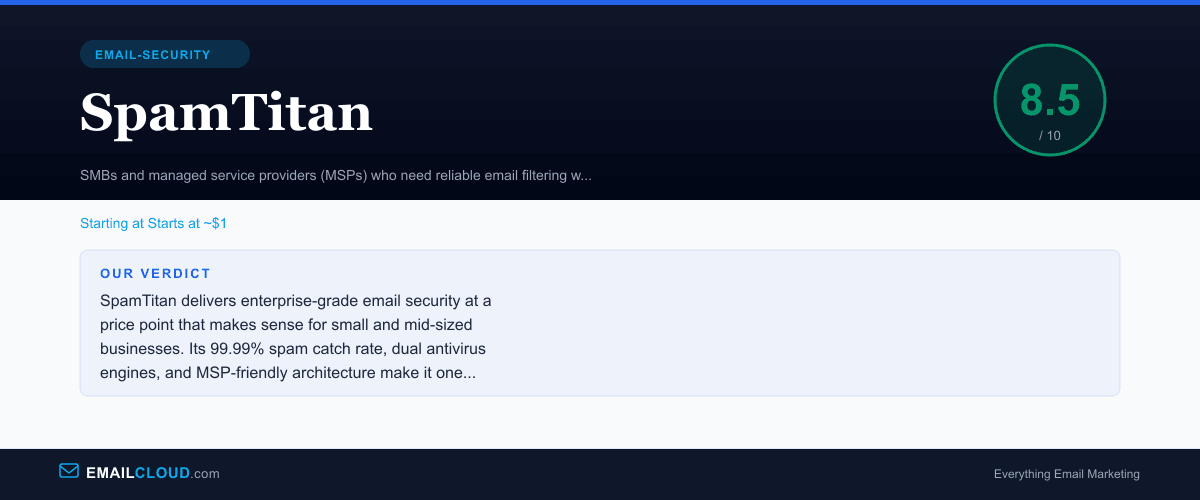
SpamTitan delivers enterprise-grade email security at a price point that makes sense for small and mid-sized businesses. Its 99.99% spam catch rate, dual antivirus engines, and MSP-friendly architecture make it one of the best values in email security. The lack of URL rewriting and somewhat dated UI are minor trade-offs given the overall quality and affordability. If you are an MSP managing multiple clients or an SMB that needs reliable protection without a big budget, SpamTitan should be at the top of your shortlist.
Review Summary
Share this visual summary. Right-click to save.
Frequently Asked Questions
Is SpamTitan good for small businesses?
SpamTitan is one of the best options for small businesses. Its pricing starts around $1 per user per month, deployment takes minutes for the cloud version, and the management console is straightforward enough that you do not need a dedicated IT security team. The dual AV engines and high spam catch rates give small businesses enterprise-grade protection at a fraction of the cost.
How does SpamTitan compare to Barracuda?
SpamTitan is significantly more affordable and easier to deploy than Barracuda, making it better for SMBs and MSPs. Barracuda offers more features like built-in archiving and encryption, which matter for compliance-heavy enterprises. If you need a simple, effective spam filter without the complexity, SpamTitan wins. If you need an all-in-one security suite, Barracuda may be worth the premium.
Does SpamTitan work with Microsoft 365 and Google Workspace?
Yes. SpamTitan Cloud integrates with both Microsoft 365 and Google Workspace by redirecting your MX records through SpamTitan's filtering servers. Setup takes roughly 15 to 30 minutes. For Microsoft 365 specifically, SpamTitan also supports journal-based integration for additional visibility into internal email traffic.