Mimecast Email Security Review: Resilience Beyond Filtering

Pros
- Email continuity keeps your email operational even during server outages — a unique differentiator
- Strong Microsoft 365 integration with API-level visibility
- Built-in security awareness training eliminates need for a separate vendor
- Comprehensive URL and impersonation protection
Cons
- Initial setup and configuration is complex with a steep learning curve
- Multiple add-on modules drive up total cost beyond the base price
- Can be overly aggressive with false positives, especially early in deployment
What Is Mimecast Email Security?
Mimecast is a cloud-based email security and resilience platform headquartered in London, founded in 2003. While most email security vendors focus primarily on keeping threats out of the inbox, Mimecast takes a broader view: it protects email, ensures email continues working during outages, helps employees recognize threats, and archives everything for compliance. The result is a platform that covers email security, email continuity, awareness training, and archiving under a single umbrella.
This breadth is Mimecast’s defining characteristic. Whether it is a strength or a weakness depends on what you need. For organizations that want comprehensive email resilience from a single vendor, Mimecast is one of very few platforms that delivers the full picture. For organizations that just need a good spam filter, Mimecast is overkill.
We have tested Mimecast across several Microsoft 365 environments and evaluated it against competing platforms. This review reflects hands-on experience with the platform’s capabilities and limitations.
Deployment and Integration
Mimecast deploys primarily as a cloud service with two integration models:
Gateway mode routes email through Mimecast’s infrastructure by redirecting MX records. All inbound email passes through Mimecast’s filtering before delivery to your mail server or cloud email platform. This is the traditional approach and provides the deepest protection.
API mode (Mimecast Email Security with Cloud Integrated) connects directly to Microsoft 365 via API. No MX record changes are required. The API integration scans email after delivery and can remediate threats found in mailboxes. It also provides visibility into internal email that gateway-only solutions miss.
For Microsoft 365 environments, Mimecast recommends a combined approach: gateway filtering for inbound email plus API integration for internal threat detection and post-delivery remediation. This layered model provides the most comprehensive coverage.
Initial deployment typically takes one to three days for the gateway component, plus additional time for policy tuning, awareness training setup, and archive configuration. The learning curve is steeper than simpler platforms, and we recommend dedicating a team member to Mimecast administration for the first month to establish optimal policies.
Key Features We Tested
Targeted Threat Protection
Mimecast’s Targeted Threat Protection (TTP) is the core security engine, comprising three components:
URL Protect rewrites URLs in emails and scans the destination in real time when users click. The system follows redirect chains, checks against threat intelligence feeds, and can sandbox suspicious pages. A unique feature is the ability to block URLs based on age — newly registered domains are held for review because attackers frequently use fresh domains that have not yet been flagged by threat databases.
Attachment Protect handles suspicious files through multiple methods. Safe file conversion strips potentially malicious content while preserving the document’s readable content. Sandbox analysis detonates files in an isolated environment to detect behavioral indicators of malware. Static analysis examines file structure for known exploit patterns. Administrators can choose which method to apply based on file type and organizational risk tolerance.
Impersonation Protect detects emails that spoof trusted contacts, domains, or brands. The system analyzes display names, domain similarity (catching lookalike domains like “examp1e.com”), and header inconsistencies. When an impersonation attempt is detected, the email can be blocked, tagged with a warning banner, or held for review.
In testing, TTP performed well against both commodity spam and targeted attacks. The URL protection caught several phishing sites that were live at delivery time but missed by competitors that only check URLs at the gateway. The attachment sandboxing occasionally added noticeable delay (three to five minutes) for complex files, but this is configurable.
Email Continuity
This is Mimecast’s most distinctive feature and the one that gets the least attention in reviews despite being enormously valuable in practice.
Email continuity means that if your Microsoft 365, Google Workspace, or on-premise Exchange server goes down, your users can continue sending and receiving email through Mimecast. Users access a Mimecast web portal or use the Mimecast for Outlook plugin, which seamlessly switches to the continuity service during outages. When the primary service recovers, all emails sent and received during the outage synchronize automatically.
The value of this feature became painfully clear to organizations without continuity during Microsoft 365 outages over the past several years. When M365 goes down — and it does go down, regularly — organizations without email continuity are simply offline. Phone calls replace emails, deals stall, and support tickets pile up.
No other major email security vendor offers comparable email continuity as part of their platform. Proofpoint does not. Barracuda does not. Cisco does not. For organizations where email downtime has a tangible business cost, this feature alone can justify evaluating Mimecast.
Security Awareness Training
Mimecast includes a built-in security awareness training module that delivers phishing simulations, training content, and risk scoring to employees. The training is not an afterthought — it is a comprehensive program with video-based modules, simulated phishing campaigns, and metrics that track employee risk scores over time.
Having awareness training integrated with email security creates a feedback loop: Mimecast can identify which employees click on real phishing attempts and automatically enroll them in targeted training. This integration between detection and education is more seamless than bolting together separate security and training vendors.
The training content library covers phishing, social engineering, password security, data handling, and compliance topics. The production quality is solid — not as polished as dedicated training vendors like KnowBe4, but substantially better than generic compliance training videos.
Archiving and Compliance
Mimecast’s Cloud Archive provides long-term email retention with full-text search, legal hold, eDiscovery, and compliance reporting. The archive captures every email regardless of whether it was filtered or delivered, creating a complete record of email activity.
For regulated industries, the archiving functionality supports retention policies ranging from one year to indefinite, with tamper-proof storage and chain-of-custody documentation. The eDiscovery tools allow legal teams to search across the archive, tag relevant messages, and export them in standard formats for litigation.
Archiving is an add-on module with separate per-user pricing. If you need archiving, having it integrated with your email security simplifies administration. If you do not need archiving, you are not paying for it in the base price.
Pricing Breakdown
Mimecast does not publish pricing publicly. Everything is custom quoted. Based on our experience and market data:
- Email Security (gateway + TTP): Approximately $4-6 per user per month
- Email Continuity: Often included in core bundle, sometimes an add-on
- Security Awareness Training: Additional $2-3 per user per month
- Cloud Archive: Additional $2-4 per user per month depending on retention period
- Internal Email Protect (API-based): Additional per-user cost
A fully loaded Mimecast deployment with TTP, continuity, training, and archiving typically runs $8-13 per user per month on an enterprise contract. Multi-year commitments and larger user counts drive meaningful discounts.
The pricing is competitive with Proofpoint for similar feature bundles, and the inclusion of awareness training and email continuity can actually make Mimecast less expensive than buying separate security, training, and continuity solutions. However, the add-on model means the headline per-user price often understates the real cost once you add the modules you actually need.
What Mimecast Gets Right
Email Continuity Is a Genuine Differentiator
We cannot overstate how valuable email continuity is for organizations that experience it during an actual outage. When Microsoft 365 goes dark and your competitors are scrambling, your users continue working through Mimecast’s continuity service. The automatic synchronization when the primary service recovers means no emails are lost. This feature has no real equivalent in competing products.
The Integrated Approach Reduces Vendor Sprawl
Security, training, and continuity from one vendor means one console, one support team, and one renewal. For mid-market IT teams managing limited resources, this consolidation has real operational value. The feedback loop between threat detection and awareness training is an additional benefit that single-function vendors cannot replicate.
Microsoft 365 Integration Is Well-Executed
Mimecast’s M365 integration goes beyond basic MX record filtering. The Mimecast for Outlook plugin gives users quarantine access, reporting tools, and continuity capabilities directly within their email client. The API integration provides visibility into internal email and Teams messages. For organizations standardized on Microsoft 365, the integration is seamless.
What Mimecast Gets Wrong
False Positives Can Be Aggressive
In our testing, Mimecast’s initial deployment was more aggressive with false positives than competing platforms. Legitimate emails from new contacts, marketing platforms, and automated systems were quarantined at a higher rate than we expected. The false positive rate improved significantly after two to three weeks of tuning, but the initial period required daily quarantine review and policy adjustments.
Organizations deploying Mimecast should plan for a tuning period and communicate to users that some legitimate emails may be temporarily delayed during the first few weeks.
Setup Complexity Is Real
Mimecast is not a product you deploy in an afternoon. The gateway configuration, DNS changes, policy engine, TTP settings, continuity setup, and training program each require attention. The admin console is comprehensive but not intuitive — there are many settings, and the relationship between them is not always obvious.
We recommend working with a Mimecast partner or the Mimecast professional services team for initial deployment, especially if this is your organization’s first enterprise email security platform.
Add-On Pricing Obscures Total Cost
The modular pricing model makes initial budget conversations difficult. The base email security price looks competitive, but by the time you add continuity, training, archiving, and API-based internal protection, the per-user cost can double. Make sure you build a complete requirements list and get a bundled quote rather than evaluating modules individually.
How Mimecast Compares
Against Proofpoint, Mimecast provides broader operational capabilities (continuity, training) but slightly less sophisticated threat detection. Proofpoint’s threat intelligence and BEC protection are stronger. Mimecast’s email continuity and integrated training give it advantages Proofpoint cannot match. For pure security, Proofpoint wins. For email resilience, Mimecast is the more complete platform.
Against Barracuda, Mimecast offers more advanced threat detection, email continuity, and awareness training. Barracuda counters with lower pricing and built-in encryption. For mid-market organizations with larger budgets, Mimecast provides more value. For cost-conscious mid-market buyers, Barracuda delivers the essentials at a lower price.
Against Cisco Secure Email, Mimecast is easier to deploy and manage, with broader feature coverage. Cisco’s advantage is Talos threat intelligence and ecosystem value for Cisco-centric organizations. Mimecast is the better standalone email security platform. Cisco is the better choice if you are already invested in the Cisco security ecosystem.
Against SpamTitan, Mimecast is a fundamentally different product class. SpamTitan is an affordable spam filter. Mimecast is an enterprise email resilience platform. The comparison only makes sense if you are trying to decide how much email protection your organization actually needs.
Who Should Use Mimecast?
Mimecast is a strong fit for:
- Mid-market and enterprise organizations (500-10,000 users) standardized on Microsoft 365
- Organizations that cannot afford email downtime — the continuity feature is a genuine differentiator
- Companies that want integrated security awareness training alongside email protection
- Regulated industries that need archiving, compliance reporting, and eDiscovery capabilities
Mimecast is probably not the right choice for:
- Small businesses (under 100 users) who would be better served by simpler, less expensive solutions
- Organizations using Google Workspace as their primary platform — Mimecast works but is optimized for Microsoft
- Companies that only need basic spam filtering without continuity, training, or archiving features
- IT teams without bandwidth for the initial deployment and tuning process
The Bottom Line
Mimecast is not just an email security product — it is an email resilience platform. The combination of threat protection, email continuity, awareness training, and archiving creates a comprehensive approach to email risk that few competitors can match. The continuity feature alone is worth evaluating if email downtime has ever cost your organization money, productivity, or reputation.
The platform demands investment — both financial and operational. Setup is complex, tuning takes time, and the full feature set is not cheap. But for mid-market and enterprise Microsoft 365 environments that want comprehensive email protection from a single vendor, Mimecast delivers.
Related Comparisons
Looking for more options? Check out our detailed comparison pages:
- Mimecast vs Proofpoint — The two enterprise email security heavyweights
- Mimecast vs Barracuda — Full resilience versus value-focused all-in-one
- Mimecast vs SpamTitan — Enterprise platform versus SMB gateway
Our Verdict
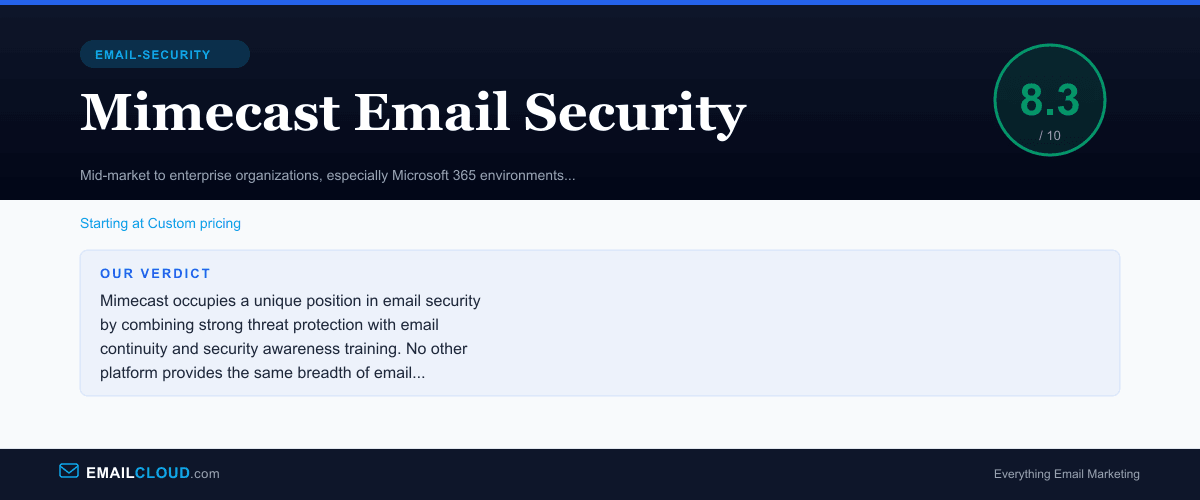
Mimecast occupies a unique position in email security by combining strong threat protection with email continuity and security awareness training. No other platform provides the same breadth of email resilience capabilities. The threat detection is solid if not quite at Proofpoint's level, the M365 integration is well-executed, and the continuity feature is a genuine lifeline for organizations that cannot afford email downtime. The downsides — setup complexity, add-on pricing, and occasional false positive aggressiveness — are manageable but real. For mid-market and enterprise Microsoft 365 environments, Mimecast delivers compelling value.
Review Summary
Share this visual summary. Right-click to save.
Frequently Asked Questions
What is Mimecast email continuity?
Mimecast email continuity ensures your organization can continue to send and receive email even when your primary email server or cloud service (Microsoft 365, Google Workspace) is down. During an outage, users access email through a Mimecast web portal or Outlook plugin. All emails sent and received during the outage are automatically synchronized back when the primary service recovers. This is a capability that no other major email security vendor includes as a standard feature.
Is Mimecast better than Proofpoint?
It depends on your priorities. Proofpoint has stronger threat intelligence and more sophisticated BEC detection. Mimecast provides email continuity (which Proofpoint does not offer), built-in awareness training, and a broader operational resilience story. For pure threat detection effectiveness, Proofpoint has an edge. For organizations that value email uptime and want security, training, and continuity from a single vendor, Mimecast may be the better fit.
Does Mimecast work with Google Workspace?
Yes. Mimecast supports both Microsoft 365 and Google Workspace environments. The integration includes gateway-based filtering via MX record redirect and API-based scanning for internal threats. However, Mimecast's deepest integrations and most advanced features are optimized for Microsoft 365 environments. Google Workspace users will have a fully functional but slightly less integrated experience.