MailerLite Review: The Budget Champion That Punches Above Its Weight
Pros
- Excellent free plan with automation and landing pages
- Clean, modern interface — easiest to learn
- Paid plans are among the cheapest in the industry
- Drag-and-drop editor produces beautiful emails
- Built-in website builder and blog
- Good automation for the price point
Cons
- Strict approval process for new accounts
- Free plan lacks templates (plain text editor only)
- Advanced segmentation is limited compared to ActiveCampaign
- No built-in CRM functionality
- Fewer integrations than larger competitors
What is MailerLite?
MailerLite is the email marketing platform that makes you wonder why everyone else charges so much. Based in Vilnius, Lithuania, this company has built a product that is genuinely easy to use, surprisingly full-featured, and priced so aggressively that it makes competitors look greedy. Since launching in 2010, MailerLite has grown to over 1.5 million users worldwide — and that growth accelerated noticeably after Mailchimp’s price hikes pushed budget-conscious businesses to look for alternatives.
The platform’s philosophy is refreshingly straightforward: give people a beautiful, simple tool that does email marketing well, price it fairly, and let the product speak for itself. There are no gimmicky upsells, no confusing tier structures, no features locked behind enterprise paywalls. What you see is what you get, and what you get is a lot for the money.
We have recommended MailerLite to dozens of clients over the years — particularly small businesses, nonprofits, and solopreneurs who need reliable email marketing without the overhead cost or complexity of larger platforms. This review reflects that accumulated experience.
Pricing Breakdown
MailerLite’s pricing is its most compelling argument. Here’s how it breaks down:
- Free: Up to 1,000 subscribers, 12,000 emails/month, drag-and-drop editor, 10 landing pages, signup forms, email automation builder, websites, 30-day analytics
- Growing Business: From $9/mo (500 subscribers) — unlimited emails, 3 users, dynamic emails, auto-resend, unlimited websites, blog, unsubscribe page builder
- Advanced: From $18/mo (500 subscribers) — everything in Growing Business plus custom HTML editor, promotion pop-ups, multiple automation triggers, Facebook integration, preference center
- Enterprise: Custom pricing (100,000+ subscribers) — dedicated IP, dedicated success manager, custom newsletter design, custom landing pages
At 10,000 subscribers, Growing Business costs about $47/mo and Advanced about $77/mo. At 50,000 subscribers, you’re looking at roughly $239/mo for Growing Business. Compare that to Mailchimp’s Standard plan at similar subscriber counts and MailerLite is typically 40-60% cheaper.
All paid plans include unlimited email sends. That alone is worth highlighting because several competitors cap monthly sends or charge per email above a threshold.
Key Features We Tested
Email Editor
MailerLite’s drag-and-drop email editor is, in our assessment, the most pleasant to use in the entire industry. That’s a strong claim, but we stand by it. The editor is fast, predictable, and produces emails that look polished on every device and email client.
Content blocks include text, images, buttons, dividers, social links, video embeds, surveys, countdown timers, product listings, and more. Each block has sensible defaults that look good immediately, and customization options are thorough without being overwhelming. The rich text editor handles formatting cleanly — no weird spacing issues or phantom line breaks that plague some competitors.
Template selection on paid plans is solid, with 80+ designs organized by category. The free plan does not include templates, which is the single biggest limitation for free users. You can still build beautiful emails using the drag-and-drop editor and content blocks, but you start from a blank canvas rather than a pre-designed layout.
Automation
MailerLite’s automation features are surprisingly capable for the price. The workflow builder uses a visual canvas where you define triggers, add delays, set conditions, and specify actions. Available triggers include subscriber joins a group, completes a form, clicks a link, date-based anniversaries, and custom field updates.
You can build welcome sequences, abandoned signup follow-ups, date-triggered birthday campaigns, and multi-step nurture flows. Conditional steps let you branch workflows based on subscriber data or behavior. It’s not as deep as ActiveCampaign — there are no webhook triggers, no lead scoring integration, and the conditional logic has fewer variables to work with. But for straightforward automation needs, it covers the ground reliably.
The multi-trigger feature on the Advanced plan is particularly useful. A single automation can be started by multiple different triggers, which reduces duplication and keeps your workflow library manageable.
Landing Pages and Website Builder
Every MailerLite plan includes a landing page builder and — surprisingly — a full website builder with custom domain support. The landing page templates are modern and conversion-optimized, with A/B testing available on paid plans. You can build opt-in pages, coming soon pages, product showcase pages, and webinar registration pages without any external tools.
The website builder is more basic than dedicated platforms like Squarespace, but it is perfectly adequate for simple business sites, personal portfolios, or microsite campaigns. For a solopreneur who needs a website and email marketing but doesn’t want to pay for two separate services, this combination is hard to beat.
Subscriber Management
MailerLite uses a group-based system for organizing subscribers. You create groups (essentially lists), add subscribers to one or multiple groups, and send campaigns to specific groups or combinations. It’s simpler than ActiveCampaign’s tag-and-list system but more flexible than Mailchimp’s audience structure.
Custom fields support text, numbers, dates, and dropdown selections. Segmentation allows you to filter subscribers by engagement level, location, custom field values, signup source, and campaign activity. It handles the needs of most small to medium businesses. Where it falls short is in complex multi-condition segments — if you need to target “subscribers who opened campaign A AND clicked link X BUT have NOT visited pricing page in 30 days AND have a custom field value greater than 50,” ActiveCampaign gives you more to work with.
Reporting and Analytics
Reporting on MailerLite is clean and useful but not deep. Campaign reports show opens, clicks, unsubscribes, bounces, click maps, and opens by location. The dashboard provides 30-day trends on the free plan and extended analytics on paid plans.
What’s missing compared to enterprise tools: no revenue attribution, no comparative campaign reporting on lower tiers, and limited subscriber-level engagement history. For most small businesses, the available metrics are sufficient for making informed decisions. But data-driven marketers who want to slice and dice campaign performance across dozens of variables will find the reporting constraining.
The Approval Process: Worth Discussing
MailerLite has an account approval process that rejects a meaningful percentage of new signups. This is both a strength and a frustration. The strict vetting keeps spammers and low-quality senders off the platform, which directly benefits legitimate users through better shared IP reputation and higher deliverability rates.
But the approval process can feel opaque. Accounts are sometimes rejected for vague reasons, and the appeals process requires providing detailed information about your business, email list source, and intended use. Affiliate marketers, cryptocurrency companies, and businesses in certain “sensitive” industries face higher rejection rates.
Our advice: when signing up, be specific about your business, how you collected your email list, and what content you plan to send. “I run a blog and want to send weekly newsletters to subscribers who opted in through my website” gets approved. “Email marketing” as your entire business description does not.
Who Should Use MailerLite?
MailerLite is the ideal platform for businesses that want professional email marketing without professional-tier pricing. The sweet spot includes:
- Small businesses with fewer than 10,000 subscribers who need reliable newsletter sending, basic automation, and landing pages
- Nonprofits and community organizations operating on tight budgets — MailerLite also offers a 30% discount for verified nonprofits
- Beginners who are new to email marketing and want the gentlest possible learning curve
- Bloggers and content creators who need a simple tool for growing and engaging their audience
- Freelancers and consultants who want email marketing plus a basic website in one affordable package
The common thread is value-consciousness without sacrificing quality. MailerLite’s users tend to be practical people who would rather spend money on their actual business than on inflated software subscriptions.
Who Should Avoid MailerLite?
Businesses with complex automation needs should look at ActiveCampaign. If your workflows require webhook integrations, advanced lead scoring, multi-path conditional branching based on CRM data, or deep behavioral tracking — MailerLite’s automation, while good for the price, won’t satisfy you.
Companies that need a built-in CRM should look elsewhere. MailerLite is purely an email marketing platform. It integrates with external CRMs through Zapier and native integrations, but there is no deal pipeline, no sales activity tracking, no contact scoring built into the product.
Large enterprises with 100,000+ subscribers and dedicated email teams will likely need more sophisticated segmentation, reporting, and deliverability management than MailerLite provides. At that scale, the cost savings are less meaningful and the feature gaps become more apparent.
And if you work in an industry that MailerLite considers high-risk — gambling, adult content, certain financial services, MLM — you may not get through the approval process at all.
Deliverability
MailerLite’s deliverability is good, generally falling in the 91-95% inbox placement range in independent tests. The strict approval process contributes to this — by keeping bad senders off the platform, MailerLite maintains cleaner shared IP pools than more permissive competitors.
Authentication setup (SPF, DKIM, DMARC) is well-documented and easy to configure. Dedicated IPs are available on the Advanced plan for high-volume senders who want complete control over their sending reputation. The platform also provides a built-in spam testing tool that checks your email against common spam filters before you send — a feature that several more expensive competitors charge extra for.
The Bottom Line
MailerLite has earned its reputation as the best-value email marketing platform available. The free plan is genuinely useful — not a crippled teaser designed to frustrate you into upgrading, but a functional tool that small businesses can run on for months or years. The paid plans are priced so reasonably that upgrading feels like a fair exchange rather than a hostage negotiation.
The interface is clean. The email editor is excellent. The automation covers the basics well. The landing pages and website builder add real utility. And the deliverability is strong enough that your emails actually reach inboxes.
Where MailerLite comes up short — advanced automation, CRM functionality, deep analytics, integration breadth — matters for growing businesses with complex needs. But that’s not who MailerLite is built for. It’s built for the 90% of email marketers who need a reliable, affordable, well-designed tool that does what it promises without drama or hidden fees.
It earns an 8.2 — and at its price point, that makes it one of the best deals in the entire email marketing landscape.
Our Verdict
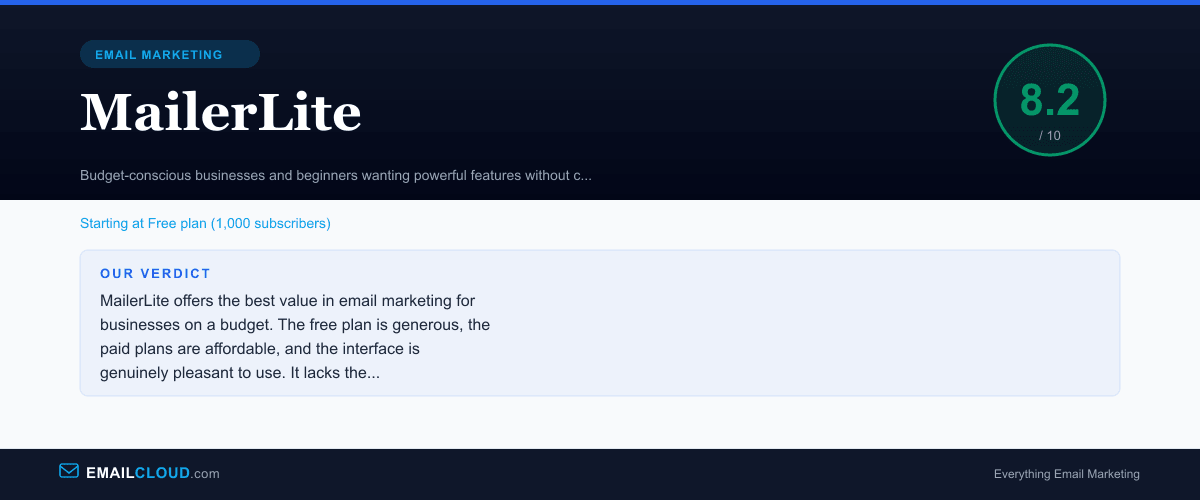
MailerLite offers the best value in email marketing for businesses on a budget. The free plan is generous, the paid plans are affordable, and the interface is genuinely pleasant to use. It lacks the advanced automation depth of ActiveCampaign, but for 90% of email marketers, MailerLite has everything you need at a fraction of the cost.
Review Summary
Share this visual summary. Right-click to save.
Frequently Asked Questions
Is MailerLite really free?
Yes, MailerLite's free plan includes up to 1,000 subscribers, 12,000 monthly emails, landing pages, signup forms, and basic automation. The main limitations are no newsletter templates (you use the drag-and-drop editor), no auto-resend, and limited reporting.
Why was my MailerLite account rejected?
MailerLite has a strict approval process to maintain platform deliverability. Accounts are sometimes rejected for vague descriptions of their business, affiliate marketing focus, or industries they consider high-risk. If rejected, you can reapply with a more detailed description of your legitimate email use case.
How does MailerLite compare to Mailchimp?
MailerLite is significantly cheaper at every tier and offers a more generous free plan (1,000 vs 500 contacts). Mailchimp has more integrations and a longer track record, but MailerLite's interface is cleaner and its paid plans include features that Mailchimp charges premium prices for.