Leadpages Review: Landing Page Builder That Converts (But Is Not an Email Platform)
Pros
- Excellent template library with conversion-optimized designs across industries
- Drag-and-drop builder is genuinely easy to use — no code required
- Built-in A/B testing on all plans for data-driven optimization
- Pop-ups, alert bars, and opt-in forms included on every plan
- Native integrations with all major email marketing platforms
Cons
- Not an email marketing platform — you still need a separate tool for email sends
- Starting price of $37/mo is high for just landing pages
- Template customization has limits — deep design changes require CSS knowledge
- Page load speed is good but not exceptional compared to hand-coded pages
The Quick Verdict
Leadpages does one thing exceptionally well: it creates landing pages that convert visitors into leads. The template library is extensive and genuinely optimized for conversion. The drag-and-drop builder is accessible to non-technical users. Built-in A/B testing provides data-driven optimization. And the integration ecosystem connects seamlessly with every major email marketing platform. What Leadpages does not do is send emails, build automation, or manage subscriber relationships. It is the front end of your email marketing funnel — the capture mechanism — not the follow-up engine. If you need great landing pages, Leadpages delivers. Just budget for an email platform alongside it.
What Leadpages Does Well
Templates Built for Conversion
Leadpages has invested heavily in its template library, and it shows. The platform offers 200+ templates organized by industry (real estate, fitness, consulting, coaching, SaaS, restaurants) and purpose (lead generation, webinar registration, sales pages, coming soon, thank you pages, 404 pages).
What sets these templates apart from generic website templates is their conversion focus. Elements are placed where eye-tracking studies suggest visitors look. Form fields are positioned to reduce friction. Call-to-action buttons use colors and sizing that draw attention. Social proof elements — testimonials, trust badges, client logos — are built into the layout. The template designers clearly understand direct response principles, and that knowledge is baked into every design.
We have tested Leadpages templates against custom-designed landing pages and found that the Leadpages versions perform within 5-15% of custom designs on conversion rate — sometimes matching or exceeding them. For businesses without a dedicated designer, that performance level at zero design cost is significant.
Drag-and-Drop Builder
The Leadpages builder lets you customize templates without touching code. Content blocks include headlines, text, images, videos, buttons, countdown timers, forms, pricing tables, progress bars, testimonials, and checkout widgets. Each block has customization options for colors, fonts, spacing, and alignment.
The builder organizes pages into sections and rows, with a sidebar for adding and configuring elements. Drag-and-drop behavior is smooth, and elements snap to grid positions that maintain visual consistency. The editing experience is faster and more reliable than ClickFunnels’ builder and on par with dedicated page builders like Unbounce.
Mobile responsiveness is handled automatically, with a mobile preview mode that lets you adjust mobile-specific styling. Pages generally render well on mobile without manual intervention, though complex layouts occasionally need adjustments for smaller screens.
A/B Testing on Every Plan
Leadpages includes split testing on all plans, which is unusual at this price point. You can create variations of any landing page — testing different headlines, images, form placements, button text, or layouts — and Leadpages will distribute traffic between variations and report conversion rates for each.
The A/B testing interface is straightforward: duplicate a page, make changes to the variation, set the traffic split, and launch. Results show conversion rates with statistical significance indicators so you know when a test has run long enough to draw conclusions.
For businesses running paid traffic to landing pages, A/B testing is not optional — it is the mechanism by which you improve ROI over time. Having it included on the Standard plan (rather than locked behind an enterprise tier, as some competitors do) is a meaningful advantage.
Lead Capture Ecosystem
Beyond landing pages, Leadpages includes:
- Pop-ups (Leadboxes): Triggered by click, exit intent, or timer. Configurable with custom forms and content.
- Alert bars: Top-of-page notification bars for announcements, promotions, or opt-in offers.
- Opt-in forms: Embeddable forms that can be placed on any website.
- Checkout integration: Stripe-powered checkout widgets for selling products or collecting payments directly on landing pages.
These tools create a complete lead capture system that works on your existing website as well as on dedicated landing pages. The combination of landing pages, pop-ups, and alert bars covers the primary email capture mechanisms that most small businesses need.
Integration Depth
Leadpages integrates natively with every major email marketing platform: Mailchimp, MailerLite, ActiveCampaign, Kit, AWeber, GetResponse, Drip, HubSpot, Constant Contact, and more. The integrations are genuine — when someone fills out a Leadpages form, their contact information is pushed directly to your email platform, often with tagging or list assignment configured in the integration settings.
Zapier and webhook integrations extend connectivity to CRMs, project management tools, SMS platforms, and custom applications. The integration breadth means Leadpages works with whatever email stack you currently use, rather than forcing you to change platforms.
Where Leadpages Falls Short
Not an Email Platform
This is the most important thing to understand about Leadpages: it does not send emails. It collects email addresses. You need a separate platform — MailerLite, Kit, ActiveCampaign, or similar — to actually email your subscribers, build automation sequences, and manage campaigns.
This means your total marketing software cost is Leadpages ($37-74/mo) plus your email platform ($0-79/mo). For businesses on tight budgets, the combined cost may be prohibitive when platforms like GetResponse and MailerLite include landing page builders within their email marketing plans.
Price for a Single-Purpose Tool
At $37/mo (Standard, annual billing) or $49/mo (monthly), Leadpages is not cheap for a tool that only handles landing pages and lead capture. MailerLite includes a landing page builder in its $9/mo plan. GetResponse includes landing pages at $13.24/mo. Even Mailchimp includes basic landing pages on its free plan.
The Leadpages templates and A/B testing are better than what these email platforms offer for landing pages. The question is whether that quality difference justifies $37/mo in additional software cost on top of your email platform. For businesses running significant paid traffic where a 10% improvement in landing page conversion rate translates to meaningful revenue, the answer is yes. For businesses with modest traffic, the bundled landing page tools in email platforms may be sufficient.
Design Customization Limits
While the drag-and-drop builder handles most customization needs, pushing beyond the template’s structural design requires CSS knowledge. Moving elements to unusual positions, creating custom layouts not supported by the grid system, or implementing advanced interactive features means editing code.
The builder is excellent for customizing within the template’s framework — changing colors, fonts, images, text, and content blocks. It is less flexible if you want to create a design that diverges significantly from the template’s structure.
Pricing Breakdown
Leadpages offers two plans:
- Standard ($37/mo annual or $49/mo monthly): 1 site, unlimited landing pages, unlimited pop-ups, unlimited alert bars, free custom domain, email support, A/B testing, 10,000 monthly pageviews for AI-generated pages
- Pro ($74/mo annual or $99/mo monthly): 3 sites, everything in Standard plus online sales and payments, advanced integrations, email trigger links, priority support
Both plans include unlimited landing pages, unlimited leads, and unlimited traffic (to manually built pages). The main Pro upgrade is the ability to sell products directly through landing pages via Stripe integration and the ability to manage multiple sites.
Annual billing saves approximately 25% compared to monthly.
Who Should Use Leadpages
Leadpages is the right tool for:
- Small businesses running paid advertising that need high-converting landing pages to maximize their ad spend ROI — where a 10-20% improvement in conversion rate directly impacts profitability
- Coaches, consultants, and service providers who need professional lead generation pages for specific offers, webinars, or workshops without hiring a developer
- Marketing teams that want to test landing page variations quickly without involving design or engineering resources
Who Should Look Elsewhere
Businesses that need both landing pages and email marketing should consider platforms that bundle both. GetResponse and MailerLite include landing page builders alongside their email marketing features at lower total cost. Unless your landing page needs are sophisticated enough to justify a dedicated tool, the bundled approach saves money and reduces complexity.
Ecommerce businesses are also poorly served by Leadpages. Product landing pages for online stores are better handled by Shopify’s built-in tools or ecommerce-specific platforms that integrate with product catalogs and inventory.
The Bottom Line
Leadpages earned its reputation as the best landing page builder for small businesses, and that reputation remains justified. The templates are excellent, the builder is accessible, and A/B testing provides the optimization capability that separates serious lead generation from guesswork. The limitation is inherent in the product’s scope — it captures leads, it does not market to them. Budget for an email platform alongside Leadpages and you have a capable lead generation stack. Just make sure the landing page volume and traffic justify the $37/mo cost over the bundled landing page tools that come with most email platforms.
Our Verdict
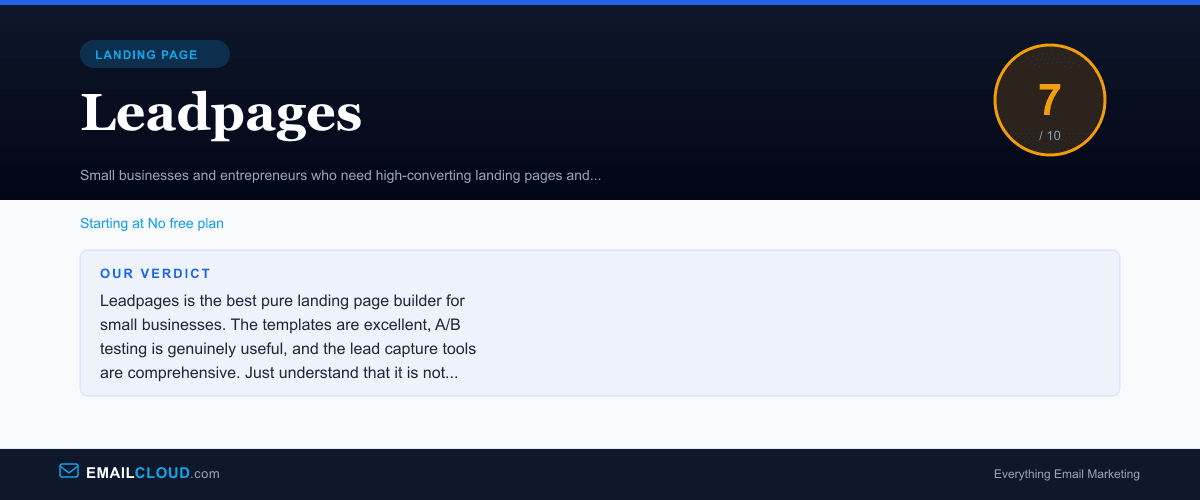
Leadpages is the best pure landing page builder for small businesses. The templates are excellent, A/B testing is genuinely useful, and the lead capture tools are comprehensive. Just understand that it is not an email marketing platform — you will need to pair it with a dedicated email tool. At $37/mo, it earns its place if landing pages are a meaningful part of your lead generation strategy.
Review Summary
Share this visual summary. Right-click to save.
Frequently Asked Questions
Is Leadpages an email marketing platform?
No. Leadpages is a landing page and lead capture tool. It collects email addresses through landing pages, pop-ups, and opt-in forms, and then sends those contacts to your email marketing platform via integration. You need a separate tool like MailerLite, ActiveCampaign, or Kit to actually send emails, build automation, and manage campaigns.
How does Leadpages compare to ClickFunnels?
Leadpages is focused specifically on landing pages and lead capture, while ClickFunnels is an all-in-one platform including funnels, email, courses, and CRM. Leadpages is significantly cheaper ($37/mo vs $127/mo) and creates faster-loading pages. ClickFunnels is better for multi-step sales funnels with upsells and downsells. If you need great landing pages that integrate with a separate email platform, Leadpages is the better value.
Does Leadpages work with WordPress?
Yes. Leadpages has a WordPress plugin that lets you publish landing pages directly to your WordPress site. Pages can be published as regular pages within your WordPress installation or as standalone pages on a Leadpages subdomain. The plugin also supports pop-ups and alert bars displayed on your existing WordPress pages.