Kit (ConvertKit) Review: The Creator's Email Platform, Refined
Pros
- Incredibly generous free plan — 10,000 subscribers
- Built specifically for creators, not marketers
- Clean, minimal interface that stays out of your way
- Visual automation builder is intuitive
- Excellent landing page and form builders
- Tag-based subscriber management (no lists)
Cons
- Email template designs are intentionally minimal — not great for visual brands
- Reporting is basic compared to competitors
- No built-in ecommerce beyond digital products
- Higher pricing on paid plans compared to alternatives
What is Kit?
If you have spent any time in the creator economy — blogging, podcasting, running a YouTube channel, selling courses — you have almost certainly heard of ConvertKit. Or rather, Kit, as it’s been known since the late-2024 rebrand. Founded by Nathan Barry in 2013, the platform was built with a clear thesis: email marketing tools were designed for marketers, not for people who actually create things. Kit set out to fix that.
And largely, it has. Kit occupies a unique position in the email marketing landscape. It is not trying to be the most feature-rich platform. It is not competing on price per contact. What it does is provide a clean, focused toolset that lets creators build an audience, nurture relationships, and sell digital products — without drowning in complexity. That philosophy has attracted over 600,000 creators and shows no signs of changing.
We have managed Kit accounts for bloggers, course creators, and newsletter operators with lists ranging from 500 to 300,000+ subscribers. This review reflects what works, what doesn’t, and who Kit is genuinely right for.
The Rebrand: ConvertKit to Kit
Let’s address this briefly because it still causes confusion. In September 2024, ConvertKit officially became Kit. The rebrand was more than cosmetic — it reflected the platform’s expansion beyond email into commerce, sponsorships, and creator networking. The shorter name also solved a practical problem: “ConvertKit” was consistently mispronounced and misspelled internationally.
Functionally, the product is the same. Your account, subscribers, automations, and integrations all carried over. The interface got a visual refresh — cleaner typography, slightly reorganized navigation — but the core experience is unchanged. If you knew ConvertKit, you know Kit. Don’t let the name change scare you away from existing tutorials or guides.
Pricing Breakdown
Kit’s pricing structure is simple, which is on-brand:
- Newsletter (Free): Up to 10,000 subscribers, unlimited broadcasts, unlimited landing pages, unlimited forms, basic reporting
- Creator: From $25/mo (up to 1,000 subscribers) — visual automations, automated sequences, third-party integrations, subscriber scoring, Creator Network
- Creator Pro: From $50/mo (up to 1,000 subscribers) — newsletter referral system, advanced reporting, priority support, Facebook custom audiences
Pricing scales with subscriber count. At 10,000 subscribers, Creator runs roughly $100/mo and Creator Pro around $140/mo. At 50,000 subscribers, expect $250/mo and $340/mo respectively.
The free plan deserves emphasis because it fundamentally changes the calculus for new creators. Ten thousand subscribers — for free — with unlimited email sends, landing pages, and forms. No other platform comes close to that number. Kit is betting that creators who grow their list on the free plan will eventually need automations and upgrade to Creator. It’s a smart bet.
Key Features We Tested
Tag-Based Subscriber Management
Kit does not use traditional lists. Instead, every subscriber exists in a single pool, and you organize them with tags and segments. This sounds like a minor distinction, but it’s genuinely better for most use cases. You never have the same person on multiple lists, you never pay for duplicate contacts, and segmentation becomes a matter of applying and combining tags rather than managing separate list structures.
Tags can be applied manually, through automations, based on link clicks, form submissions, or purchases. Segments combine tags with conditional logic. For a blogger who writes about both photography and travel, tagging subscribers by interest and sending targeted broadcasts to each segment is effortless.
Visual Automation Builder
Kit’s visual automation builder — available on paid plans — is one of the more intuitive we have used. You build sequences as flowcharts, with triggers at the top and a series of events, actions, and conditions flowing downward. Adding wait steps, conditional branches (based on tags, custom fields, or purchase history), and parallel paths is drag-and-drop simple.
It’s not as deep as ActiveCampaign’s automation engine. You won’t find webhook triggers, lead scoring thresholds, or CRM pipeline integrations here. But for the automations most creators need — welcome sequences, course drip schedules, product launch funnels, segmentation workflows — Kit handles them cleanly without requiring a tutorial video first.
Landing Pages and Forms
Kit includes a landing page builder and form designer on every plan, including free. The landing pages are template-driven, minimal in design, and focused entirely on email capture. You’re not going to build a full sales page here — these are squeeze pages optimized for a single action: enter your email.
And for that specific purpose, they work remarkably well. Page load times are fast, mobile rendering is clean, and conversion rates on Kit landing pages tend to outperform generic page builders because the designs eliminate distractions. The form builder offers inline forms, modal popups, slide-ins, and sticky bars, all with decent customization options.
Commerce
Kit’s commerce features let you sell digital products directly — ebooks, courses, presets, templates, music, coaching sessions — with built-in checkout, delivery, and payment processing via Stripe. There are no monthly fees for commerce; Kit takes a small transaction fee instead.
This is a meaningful differentiator for solo creators who don’t want to set up a separate Gumroad, Teachable, or Shopify account. But it is limited to digital products. There’s no inventory management, no shipping logic, no physical product support. If you sell physical goods, Kit’s commerce features are not relevant to you.
Creator Network
One of Kit’s newer features, the Creator Network lets you cross-promote with other Kit users. When a subscriber joins your list, you can recommend other creators’ newsletters — and they can recommend yours. It’s essentially a built-in referral ecosystem. The quality of recommendations varies, but for newsletter operators looking for organic growth channels beyond social media, it adds genuine value.
Who Should Use Kit?
Kit is purpose-built for individual creators and small teams who earn their living through content. The ideal Kit user looks something like this:
- Bloggers and newsletter writers who want a clean sending experience without visual noise
- Podcasters who need simple opt-in forms and automated welcome sequences
- Course creators selling digital products and dripping content to buyers
- Authors building a reader list and managing book launch sequences
- YouTubers collecting emails from video descriptions and sending periodic updates
The common thread is that these users value simplicity and subscriber management over marketing complexity. They don’t need CRM pipelines, ecommerce integrations, or multivariate testing. They need to send good emails to the right people at the right time, and Kit does that exceptionally well.
Who Should Avoid Kit?
If your brand depends on visually rich emails — product photography, styled layouts, branded graphics — Kit will disappoint you. The email editor is intentionally plain-text-forward. You can add images and basic formatting, but you cannot build the kind of polished, magazine-style emails that Mailchimp or MailerLite produce. This is a design philosophy, not a limitation, but it matters if your audience expects visual polish.
Ecommerce businesses selling physical products need a platform with deeper commerce integrations. Klaviyo, Drip, or even GetResponse would be better choices for Shopify or WooCommerce stores that need purchase-based automations, product recommendation blocks, and cart abandonment workflows.
Businesses with complex sales processes should look at ActiveCampaign. If you need lead scoring that triggers CRM actions, multi-stage pipeline management, or conditional content that changes based on dozens of variables — Kit’s automation, while clean, simply lacks the depth.
And agencies managing multiple client accounts will find Kit’s multi-account support lacking compared to platforms designed for agency use.
Deliverability
Kit’s deliverability performance is strong, consistently ranking in the 92-96% inbox placement range in independent tests. This is partly by design — Kit’s focus on text-forward emails means less HTML complexity, fewer rendering issues, and lower spam trigger rates. Plain text emails from a trusted sender with proper authentication tend to land in the inbox.
Kit handles SPF, DKIM, and DMARC configuration well, with clear documentation for custom domain setup. The platform also benefits from maintaining a relatively clean sender reputation because their approval process, while less strict than MailerLite’s, still filters out obvious spam operations.
The Bottom Line
Kit is not trying to be everything to everyone, and that restraint is its greatest strength. It does fewer things than Mailchimp, GetResponse, or ActiveCampaign — but the things it does, it does with remarkable clarity and focus.
The free plan covering 10,000 subscribers is the most generous in the industry and makes Kit the obvious starting point for any creator building an email list from scratch. The tag-based system is elegant. The automations are intuitive. The commerce features solve a real problem for digital product sellers.
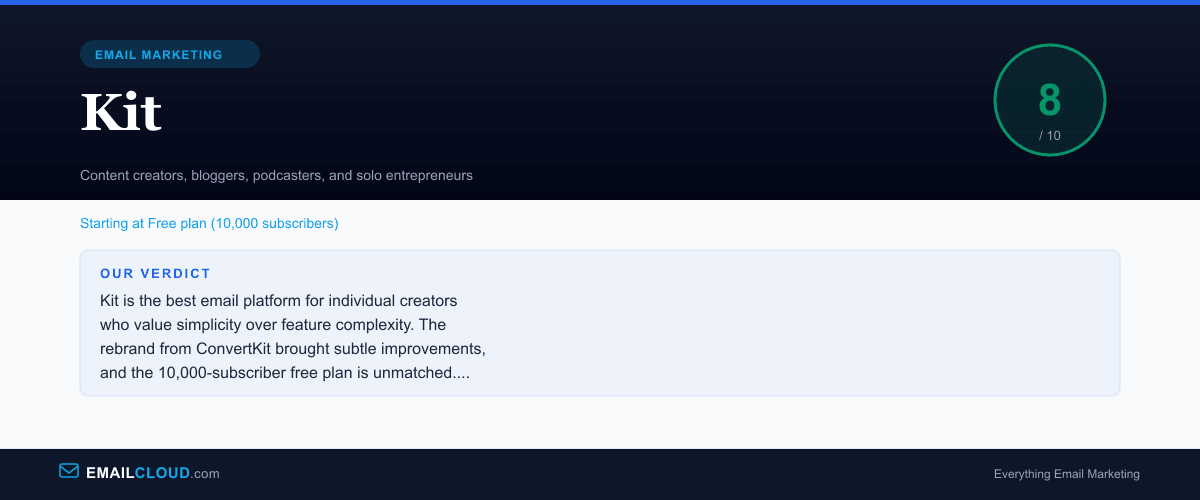
But it’s not a general-purpose marketing platform. If you need rich visual emails, deep reporting, CRM functionality, or physical ecommerce support, Kit will leave you wanting. It earns an 8.0 — outstanding for its target audience, but not a fit for everyone. Know what you need, and Kit will either be exactly right or clearly wrong. There’s very little gray area.
Our Verdict
Kit is the best email platform for individual creators who value simplicity over feature complexity. The rebrand from ConvertKit brought subtle improvements, and the 10,000-subscriber free plan is unmatched. But if you need advanced reporting, rich visual emails, or ecommerce integrations, look elsewhere.
Review Summary
Share this visual summary. Right-click to save.
Frequently Asked Questions
Why did ConvertKit rebrand to Kit?
ConvertKit rebranded to Kit in late 2024 to better reflect its evolution beyond just email. The platform now includes commerce features, a creator network, and sponsorship tools. The shorter name also tested better internationally.
Is Kit's free plan really free for 10,000 subscribers?
Yes, but with limitations. The free plan includes email broadcasts, landing pages, and forms, but does not include visual automations, subscriber scoring, or the creator network referral features. Still, it is the most generous free plan in the industry by subscriber count.
Is Kit good for ecommerce?
Kit is better suited for selling digital products (courses, ebooks, memberships) than physical goods. If you run a traditional ecommerce store, platforms like Klaviyo or even GetResponse with its ecommerce features would be more appropriate.