Ghost Review: Open-Source Publishing Meets Newsletter Platform
Pros
- Open-source — self-host for free or use managed hosting
- Blazing fast performance with minimal bloat
- Built-in newsletter, membership, and payment infrastructure
- Clean, distraction-free editor that writers love
- Native SEO features and structured data out of the box
Cons
- Not a full email marketing platform — no advanced automation
- Self-hosting requires technical skills to maintain
- Theme ecosystem is smaller than WordPress
- No visual drag-and-drop email builder
- Limited integrations compared to established email platforms
What is Ghost?
Ghost is an open-source publishing platform that treats content as the product, not the afterthought. While WordPress evolved into a general-purpose website builder and Substack reduced publishing to a commodity newsletter service, Ghost carved out a middle path: a fast, focused platform built specifically for professional publishing, with native newsletter delivery and membership monetization built into the core.
Founded in 2013 by John O’Nolan, a former WordPress core contributor, Ghost was created as a direct response to WordPress becoming increasingly bloated for its original purpose — writing and publishing. O’Nolan raised the initial development through a Kickstarter campaign and established Ghost as a non-profit organization, ensuring the platform would always prioritize users over investors.
Ghost is built on Node.js and delivers performance that WordPress cannot match without extensive caching and optimization. Pages load in milliseconds. The admin interface is responsive. And because the platform is narrowly focused on publishing, every feature exists to serve that workflow rather than accommodating the conflicting needs of ecommerce stores, corporate websites, and portfolio sites.
We have evaluated Ghost for independent publishers, newsletter operators migrating from Substack, and content-focused businesses that outgrew WordPress. This review covers the publishing experience, newsletter capabilities, monetization tools, and the critical question of who Ghost is actually built for.
Pricing Breakdown
Ghost offers two paths: self-hosted (free) and Ghost(Pro) managed hosting:
Self-Hosted (Free): The Ghost software is free and open-source under the MIT license. You download it, install it on your own server, and run it. Hosting costs depend on your provider — a basic DigitalOcean droplet at $6/mo handles Ghost comfortably for most publishers. You are responsible for server setup, updates, security patches, and backups.
Ghost(Pro) Managed Hosting:
- Starter ($9/mo): 500 members, 1 staff user, custom themes, newsletter, members portal
- Creator ($25/mo): 1,000 members, unlimited staff users, custom integrations, premium themes
- Team ($50/mo): 1,000 members, editorial workflow, advanced analytics, priority support
- Business ($199/mo): 10,000 members, uptime SLA, dedicated support, advanced infrastructure
Ghost(Pro) handles all technical maintenance and includes CDN, SSL, automatic updates, and daily backups. For non-technical publishers, the managed option eliminates the operational burden.
Importantly, Ghost takes 0% commission on membership revenue. The only fees are Stripe’s standard payment processing (2.9% + $0.30 per transaction). Compare this to Substack’s 10% platform fee on paid subscriptions — at $10,000/mo in membership revenue, that difference is $1,000/mo.
Key Features We Tested
Editor and Publishing
Ghost’s editor is one of the best writing environments available on any platform. The interface is clean, fast, and distraction-free — a full-width canvas with minimal chrome. Content blocks support rich text, images, galleries, embedded content (YouTube, Twitter, CodePen), bookmarks, callouts, toggles, and custom HTML. The writing experience feels more like Notion than WordPress.
Publishing workflow supports draft, scheduled, and published states with post visibility controls (public, members-only, paid-members-only). You can publish content to your website, send it as a newsletter to subscribers, or both simultaneously. This dual-publishing model means every post can work as both a web page (searchable, indexable) and an email (direct to inbox), maximizing the reach of each piece of content.
Newsletter Delivery
Ghost’s newsletter feature sends your posts as emails to subscribers. When you create a post, you choose whether to send it as a newsletter and to which segment (all subscribers, free members, paid members, or a specific label). The email design matches your site theme automatically — no separate email template to maintain.
Newsletter analytics track opens, clicks, and engagement trends over time. You can see which posts generate the most engagement and use that data to inform your content strategy.
However, Ghost is not an email marketing platform. There are no drip sequences, behavioral automations, A/B subject line tests, or complex segmentation rules. If you need those capabilities, you will need to integrate Ghost with a dedicated email tool like Kit or ActiveCampaign through Ghost’s API or Zapier.
Membership and Monetization
Ghost includes a complete membership infrastructure. Readers can sign up as free members (email-gated content) or paid members (monthly or annual subscription via Stripe). You control what content is free and what requires a paid membership. Ghost handles the member portal, login system, account management, and billing.
The membership model supports:
- Free tier: Email address required to access members-only content
- Paid tiers: Monthly and annual pricing, configurable by the publisher
- Complimentary access: Gift memberships or VIP access for specific members
- Member labels: Custom tags for segmenting your audience
For publishers building a subscription business, this built-in infrastructure eliminates the need for Patreon, Memberful, or other third-party membership platforms. And at 0% Ghost commission (vs. Patreon’s 5-12% or Substack’s 10%), the economics favor Ghost for anyone generating meaningful membership revenue.
Performance and SEO
Ghost is fast. Core Web Vitals scores on Ghost sites are consistently excellent — most Ghost sites score 95-100 on Lighthouse performance audits without any optimization. The platform generates clean HTML, serves assets through a CDN, and includes lazy loading and responsive images by default.
SEO features are built in: structured data (JSON-LD), canonical URLs, meta titles and descriptions, social sharing cards (Open Graph and Twitter Cards), XML sitemaps, and clean URL structures. Ghost sites rank well because they load fast, generate clean markup, and include proper technical SEO out of the box.
Themes and Design
Ghost uses Handlebars-based themes that are simpler to customize than WordPress PHP themes but more limited than a full template language. The default theme (Casper) is well-designed, and the official theme marketplace offers several premium options. Third-party theme marketplaces add more variety.
Custom theme development is straightforward for developers comfortable with HTML, CSS, and Handlebars syntax. For non-developers, customization is limited to theme settings — color schemes, fonts, navigation, and layout options — which vary by theme.
Who Should Use Ghost?
Ghost is built for people who publish content as their primary business activity:
- Independent journalists and writers building subscription-based publications
- Bloggers who want a fast, clean publishing platform without WordPress complexity
- Newsletter operators migrating from Substack who want more control and lower fees
- Content-first businesses that publish regularly and want built-in newsletter and membership tools
- Developers who want an open-source platform they can customize and self-host
Who Should Look Elsewhere?
Businesses that need full email marketing capabilities — automation workflows, behavioral triggers, complex segmentation, ecommerce integration — should use a dedicated platform like ActiveCampaign, GetResponse, or Kit. Ghost’s newsletter feature is publishing-oriented, not marketing-oriented.
Non-technical users who want extensive customization but cannot work with code should consider Squarespace or WordPress with a page builder. Ghost’s customization beyond theme settings requires editing template files.
Ecommerce businesses should not use Ghost. It has no product catalog, shopping cart, or payment processing for physical or digital product sales (beyond memberships). Shopify, WooCommerce, or similar platforms are the right tools for selling products.
Publishers who need a recommendation network or ad marketplace for monetization should evaluate beehiiv, which offers built-in ad network, boosts, and cross-promotion tools that Ghost does not provide.
The Bottom Line
Ghost occupies a specific and valuable position in the publishing landscape. It is the best open-source platform for professional publishing with built-in newsletter and membership tools. The performance is exceptional, the writing experience is best-in-class, and the 0% commission on membership revenue makes it the most publisher-friendly monetization platform available.
The limitations are clear: it is not a full email marketing platform, the theme ecosystem is smaller than WordPress, and self-hosting requires technical competence. But for publishers who want speed, control, clean design, and direct audience monetization without platform lock-in, Ghost delivers exactly what it promises.
Our Verdict
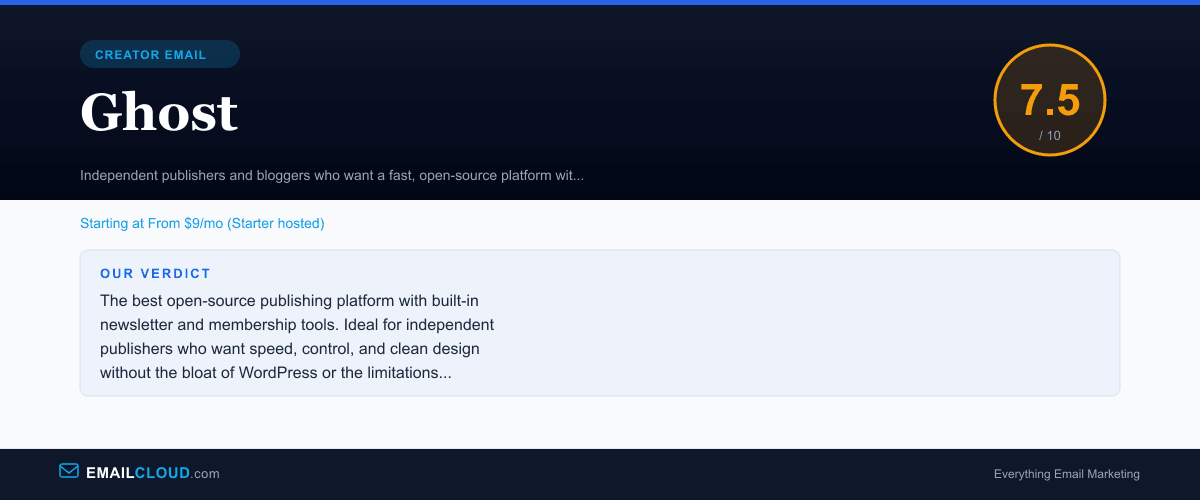
The best open-source publishing platform with built-in newsletter and membership tools. Ideal for independent publishers who want speed, control, and clean design without the bloat of WordPress or the limitations of Substack.
Review Summary
Share this visual summary. Right-click to save.
Frequently Asked Questions
Is Ghost free?
Ghost is open-source software that you can self-host for free on your own server. You pay only for hosting costs, which can be as low as $5-10/mo on a VPS. Alternatively, Ghost(Pro) managed hosting starts at $9/mo and handles all server management, updates, and maintenance for you. The software itself is identical either way.
Is Ghost better than Substack for newsletters?
For publishers who want full control, yes. Ghost gives you custom domains, full design control, ownership of your audience data, lower platform fees on paid memberships, and no algorithmic interference with your content. Substack is simpler to start with and has network effects through its app, but Ghost is the better long-term infrastructure for serious publishers.
Can Ghost replace WordPress?
For publishing and blogging, yes. Ghost is faster, cleaner, and more focused than WordPress for content-first websites. However, Ghost cannot replace WordPress for complex sites that need plugins, ecommerce (WooCommerce), custom post types, or the vast WordPress ecosystem. If your primary use case is publishing articles and newsletters, Ghost is a strong WordPress alternative.
How does Ghost handle email newsletters?
Ghost includes native newsletter functionality. When you publish a post, you can simultaneously send it as an email to your subscriber list. You can segment by membership tier (free vs. paid) and engagement level. The newsletter design matches your site theme automatically. However, Ghost does not offer advanced email marketing features like drip campaigns, behavioral automation, or A/B testing on email content.