Campaign Monitor Review: Premium Templates, Premium Price, Middling Value
Pros
- Best-in-class email template quality — polished, responsive, and brand-consistent
- Template locking feature ensures brand consistency across teams and clients
- Excellent agency features including client management and white-label options
- Intuitive drag-and-drop editor that produces professional results
- Strong deliverability with dedicated sending infrastructure
Cons
- Expensive at scale — costs climb quickly past 5,000 contacts
- Lite plan has severe sending limits (2,500 emails/mo for 500 contacts)
- Automation is basic compared to ActiveCampaign or even MailerLite
- Limited integrations compared to larger platforms
The Quick Verdict
Campaign Monitor is the email marketing platform you choose when your emails absolutely must look perfect. The template quality is excellent, the editor produces consistent results across email clients, and the brand consistency tools are unmatched for agencies and multi-brand organizations. But that design excellence comes at a premium price with limitations that are hard to justify in the current market. The Lite plan is frustratingly restrictive. The automation is basic. The integrations are fewer than competitors. And at scale, the pricing climbs to levels where platforms with better features cost less. Campaign Monitor is a premium design tool in a market where design-quality gaps have narrowed considerably.
What Campaign Monitor Does Well
Email Templates That Set the Standard
Campaign Monitor’s template library is, by our assessment, the most consistently polished in the email marketing industry. While Flodesk’s templates are more visually striking for creative professionals, Campaign Monitor’s templates are more versatile and more professionally adaptable across industries. Finance, healthcare, retail, nonprofit, SaaS, hospitality — every vertical has templates that look like they were designed by a competent agency specifically for that industry.
The templates render reliably across email clients, which is a more difficult technical challenge than it appears. Email HTML is notoriously inconsistent — what looks perfect in Gmail may break in Outlook, and what works in Apple Mail may misalign in Yahoo. Campaign Monitor’s templates have been tested extensively across the email client landscape, and they maintain visual integrity in ways that templates from less design-focused platforms do not.
The drag-and-drop editor preserves this quality through customization. Content blocks snap together cleanly, spacing stays consistent, and font rendering is reliable. The editor is not the most feature-rich — Mailchimp and MailerLite have more content block types — but the blocks it provides produce visually polished results every time.
Brand Consistency and Template Locking
Campaign Monitor’s template locking feature is unique in the industry and genuinely valuable for agencies and multi-brand organizations. Designers can create email templates with locked sections that end users cannot modify — ensuring logos, colors, fonts, headers, and footers remain brand-consistent regardless of who sends the campaign.
Unlocked sections can be designated for content that changes — body copy, images, calls to action — while locked sections maintain brand standards. This feature solves a real problem for organizations where multiple team members or departments send emails. Without template locking, brand inconsistency creeps in as users modify templates beyond design guidelines.
For agencies managing email marketing for multiple clients, the combination of template locking and client account management creates a workflow that is difficult to replicate on other platforms. Each client gets a managed account with locked brand templates, while the agency maintains oversight across all accounts from a single dashboard.
Agency-Focused Features
Campaign Monitor provides tools specifically designed for agencies:
- Client management: Create and manage multiple client accounts from one agency dashboard
- White labeling: Remove Campaign Monitor branding and present the platform under your agency’s brand
- Reseller pricing: Volume discounts for agencies managing multiple accounts
- Template marketplace: Sell custom templates to other Campaign Monitor users
- Collaboration tools: Multi-user access with role-based permissions
These features make Campaign Monitor a practical choice for marketing agencies that manage email campaigns for multiple clients. The agency workflow — design a locked template, set up the client account, grant access for content creation while maintaining brand control — is streamlined in ways that general-purpose email platforms do not support.
Deliverability
Campaign Monitor maintains strong deliverability through managed sending infrastructure. Authentication setup (SPF, DKIM, DMARC) is well-documented, and the platform provides deliverability insights in campaign reporting. The managed infrastructure approach means Campaign Monitor handles IP reputation management rather than leaving it to individual users.
Inbox placement rates are generally in the 92-95% range in independent tests. For brands where email is a primary customer communication channel — particularly in regulated industries like finance and healthcare — reliable deliverability matters enough to justify a pricing premium.
Where Campaign Monitor Falls Short
Pricing at Scale
Campaign Monitor’s pricing becomes a problem as subscriber counts grow:
- Lite (500 contacts, 2,500 emails/mo): $12/mo
- Essentials (500 contacts, unlimited emails): $29/mo
- Premier (500 contacts, unlimited emails): $159/mo
Scaling the Essentials plan:
- 2,500 contacts: $49/mo
- 5,000 contacts: $79/mo
- 10,000 contacts: $129/mo
- 25,000 contacts: $249/mo
- 50,000 contacts: $499/mo
At 10,000 contacts, Campaign Monitor’s Essentials plan ($129/mo) costs more than MailerLite ($47/mo), Mailchimp ($87/mo), and Brevo ($25/mo for the same volume). At 50,000 contacts, the $499/mo price point is among the highest in the non-enterprise market.
The Lite plan deserves specific criticism. At $12/mo for 500 contacts with a 2,500-email monthly limit, you can send a maximum of 5 emails per subscriber per month. For a weekly newsletter with 500 subscribers, you are close to the limit with zero room for additional campaigns, automations, or transactional emails. The Lite plan feels designed to frustrate users into upgrading rather than providing a genuinely useful entry-level experience.
Automation Is Behind the Market
Campaign Monitor’s automation, which they call “Customer Journeys,” supports basic workflow building with triggers, delays, conditional splits, and email actions. You can build welcome sequences, date-based automations, and engagement-based re-targeting workflows.
What is missing compared to the market: no webhook triggers, no multi-path conditional branching based on custom events, no lead scoring integration, no advanced behavioral tracking. ActiveCampaign, which costs less at most subscriber counts, offers dramatically more automation sophistication. Even MailerLite, at a fraction of Campaign Monitor’s price, provides comparable automation depth.
For businesses that treat automation as a core email marketing capability — and in 2026, most should — Campaign Monitor’s automation is a significant limitation relative to its price point.
Limited Integrations
Campaign Monitor integrates with major platforms — Shopify, WordPress, Salesforce, Magento, and several CRMs — but the total integration count is lower than Mailchimp, ActiveCampaign, or HubSpot. The Zapier integration fills some gaps, but native integrations are always more reliable and feature-rich.
For businesses with common tech stacks (WordPress + WooCommerce, or Shopify + Google Analytics), Campaign Monitor’s integrations are sufficient. For businesses using niche tools or complex multi-platform setups, the integration limitations may require workarounds.
Pricing Breakdown
Campaign Monitor’s three tiers:
- Lite ($12/mo for 500 contacts): 2,500 emails/mo limit, drag-and-drop builder, A/B testing, basic segmentation, core integrations
- Essentials ($29/mo for 500 contacts): Unlimited emails, Customer Journeys (automation), advanced segmentation, time-zone sending, spam testing, priority support
- Premier ($159/mo for 500 contacts): Everything in Essentials plus pre-built engagement segments, send-time optimization, advanced link tracking, phone support, dedicated deliverability advisor
The jump from Essentials to Premier is steep — $130/mo more for features that mostly provide convenience rather than new capability. Most businesses will find Essentials sufficient unless they specifically need the deliverability advisor or send-time optimization.
Who Should Use Campaign Monitor
Campaign Monitor fits best for:
- Marketing agencies managing email campaigns for multiple clients who need template locking, white labeling, and client account management in one platform
- Design-conscious brands in industries where email presentation directly impacts brand perception — luxury goods, hospitality, professional services, and real estate
- Mid-size organizations with multiple departments sending emails who need brand consistency enforcement across teams
Who Should Look Elsewhere
Small businesses on a budget should look at MailerLite, Sender, or Moosend. These platforms offer more features at significantly lower prices, and the design quality gap has narrowed enough that the premium is hard to justify for budget-conscious organizations.
Businesses that prioritize automation should evaluate ActiveCampaign or GetResponse. Campaign Monitor’s automation is adequate for simple workflows but cannot compete with platforms that have made automation their core strength.
The Bottom Line
Campaign Monitor built its reputation on beautiful email templates and agency-friendly tools, and those strengths remain real. If your business depends on visually polished email communication and you need brand consistency tools for a team, Campaign Monitor does that well. But the email marketing market has matured around it. Competitors have improved their design quality while adding automation depth, better pricing, and more integrations. Campaign Monitor’s premium price now buys a narrower advantage than it once did. For agencies and design-focused brands, it still makes sense. For the broader market, more capable alternatives exist at lower cost.
Our Verdict
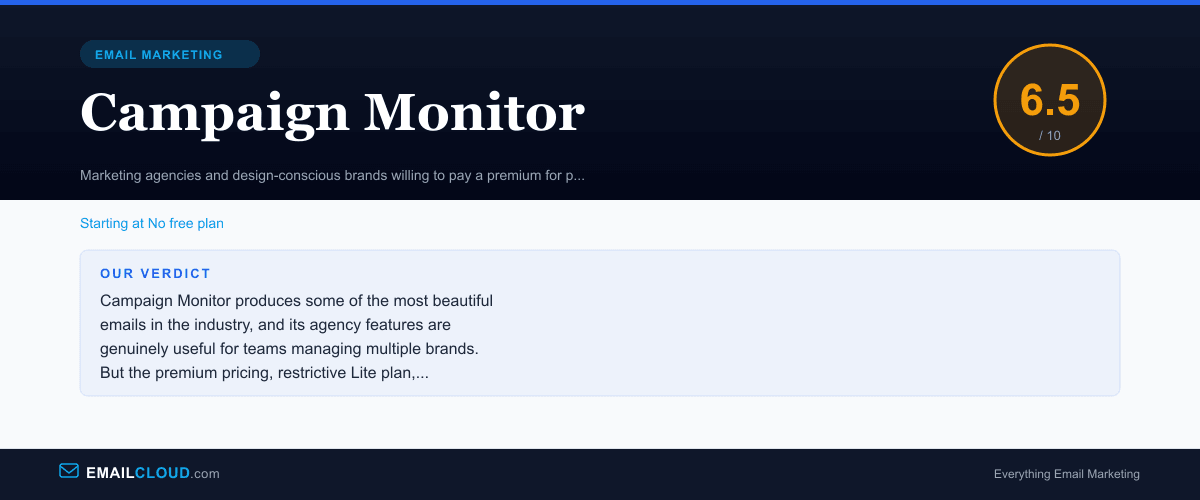
Campaign Monitor produces some of the most beautiful emails in the industry, and its agency features are genuinely useful for teams managing multiple brands. But the premium pricing, restrictive Lite plan, and basic automation make it difficult to recommend when competitors offer more features at lower cost. It is a design-first platform in a market that increasingly demands marketing sophistication alongside visual quality.
Review Summary
Share this visual summary. Right-click to save.
Frequently Asked Questions
Is Campaign Monitor good for small businesses?
Campaign Monitor is a hard sell for small businesses on a budget. The Lite plan is restrictive (2,500 monthly emails for 500 contacts), and the Essentials plan at $29/mo for 500 contacts is significantly more expensive than MailerLite ($9/mo) or Mailchimp ($13/mo) at the same subscriber count. Small businesses are better served by platforms offering more features at lower prices unless email design quality is their highest priority.
What makes Campaign Monitor different from Mailchimp?
Campaign Monitor's email templates and editor produce more visually polished results than Mailchimp. The template locking feature for brand consistency is unique and valuable for agencies. However, Mailchimp offers more integrations, a better free plan, more advanced automation, and lower pricing at most subscriber counts. Campaign Monitor is the premium design choice; Mailchimp is the more practical all-rounder.
Does Campaign Monitor have a free plan?
No. Campaign Monitor offers a free trial that lets you explore the platform and send a campaign to up to 5 subscribers, but there is no permanent free plan. The entry-level Lite plan starts at $12/mo for 500 contacts with a 2,500 monthly email limit. For a free email marketing platform, consider MailerLite, Sender, or EmailOctopus instead.