Barracuda Email Security Gateway Review: The All-in-One Enterprise Shield

Pros
- True all-in-one platform — gateway, archiving, encryption, and DLP in a single product
- Strong brand reputation with decades of proven protection
- Excellent compliance and archiving tools for regulated industries
- API-based integration for Microsoft 365 and Google Workspace
Cons
- Pricing scales aggressively — becomes expensive for large deployments
- Complex licensing model with multiple SKUs and add-on modules
- Admin interface feels dated compared to cloud-native competitors
What Is Barracuda Email Security Gateway?
Barracuda Networks has been in the email security business since 2003, and the Email Security Gateway (ESG) is their flagship product for protecting organizations against spam, phishing, malware, ransomware, and data loss. Unlike point solutions that focus solely on filtering, Barracuda bundles email security with archiving, encryption, and data leak prevention — a genuine all-in-one approach that appeals to organizations tired of managing multiple vendors.
The product is available as a physical hardware appliance, a virtual appliance, or a cloud-hosted service. Barracuda also offers a newer cloud-native product called Barracuda Email Protection, which uses API-based integration with Microsoft 365 and Google Workspace rather than the traditional gateway model. Most organizations today deploy the cloud or API-based versions, though the hardware appliance still has its loyalists.
We have worked with Barracuda deployments across several client environments ranging from 100 to 2,000 users. What follows is our honest assessment of where Barracuda excels and where it falls short.
Deployment and Setup
Barracuda offers more deployment flexibility than most competitors:
Hardware appliance models range from the Barracuda 100 (small office) to the Barracuda 1000 (large enterprise). These are purpose-built boxes that sit in your data center and filter email before it hits your mail server. The hardware route is becoming less common but still has advantages for organizations with strict data sovereignty requirements.
Virtual appliance runs on VMware, Hyper-V, or cloud infrastructure (AWS, Azure, GCP). Same software as the hardware, same management interface, but without the physical box.
Cloud-hosted gateway is the most popular option today. Barracuda hosts the filtering infrastructure, you redirect MX records, and clean email gets delivered to your environment. Setup time is typically under an hour for a straightforward deployment.
API-based integration (Barracuda Email Protection) connects directly to Microsoft 365 or Google Workspace via API. No MX record changes required. This approach can detect threats in internal email and remediate post-delivery, which is a significant advantage over pure gateway deployments.
Initial configuration is more involved than simpler products like SpamTitan. There are more policy options, more features to configure, and more decisions to make upfront. Plan on a half-day for initial setup and another week of tuning to optimize catch rates and minimize false positives for your specific environment.
Key Features We Tested
Advanced Threat Protection (ATP)
Barracuda’s ATP layer goes beyond basic signature-based scanning. Suspicious attachments are detonated in a cloud sandbox that monitors file behavior — does it try to connect to external servers, modify system files, or exhibit other malicious patterns? ATP also performs link analysis, checking URLs against real-time threat feeds and following redirect chains to identify malicious destinations.
In our testing, ATP caught several sophisticated phishing attachments that basic AV scanning missed, including weaponized PDFs and macro-enabled Office documents. The sandbox analysis adds a few minutes of latency for suspicious files, but administrators can configure which file types trigger sandboxing to balance security with email delivery speed.
Email Encryption
One of Barracuda’s genuine differentiators is built-in email encryption. Outbound emails containing sensitive content can be automatically encrypted based on DLP policy rules or user-initiated encryption via an Outlook plugin. Recipients access encrypted messages through a secure web portal — no software installation required on their end.
For organizations in healthcare, financial services, or legal sectors where encrypted communication is a compliance requirement, having encryption built into the email security gateway eliminates the need for a separate encryption product. This consolidation is a meaningful cost and complexity reduction.
Email Archiving
Barracuda Cloud Archiving Service captures and stores every email in a tamper-proof, searchable archive. This serves dual purposes: compliance (meeting retention requirements for regulations like HIPAA, SOX, FINRA, and GDPR) and eDiscovery (searching historical email for legal proceedings).
The archiving interface includes full-text search across message bodies and attachments, retention policies, legal hold capabilities, and export tools. For organizations that would otherwise need a separate archiving product like Mimecast or Veritas, bundling archiving with security represents real savings.
Data Leak Prevention
Barracuda’s DLP engine scans outbound email for sensitive content using predefined and custom patterns. Built-in templates cover common data types — credit card numbers, Social Security numbers, HIPAA identifiers, financial data. You can create custom DLP rules based on regular expressions, keywords, or file type restrictions.
When a DLP violation is detected, the email can be encrypted, quarantined, redirected for approval, or blocked entirely. The DLP capabilities are solid for common use cases, though organizations with complex data classification requirements may need a dedicated DLP product.
Incident Response and Remediation
Barracuda’s incident response tools allow administrators to search for and remediate threats that were delivered before being identified as malicious. If a new threat signature emerges and Barracuda determines that matching emails were already delivered, administrators can search for and delete those messages across all mailboxes — a critical capability for responding to zero-day attacks.
The platform also provides forensic analysis tools: message tracking, header analysis, and detailed logs that help security teams investigate incidents and understand attack patterns.
Pricing Breakdown
Barracuda’s pricing is where things get complicated:
- Email Security Gateway (cloud): Starting at approximately $3.50 per user per month
- Email Protection (API-based): Custom pricing, typically $4-6 per user per month
- Archiving add-on: Additional per-user cost, varies by retention period
- ATP sandbox add-on: Additional per-user cost on top of base gateway pricing
- Hardware appliances: One-time purchase ($1,500 to $20,000+) plus annual Energize Updates subscription
The challenge with Barracuda’s pricing is that the base product provides core filtering, but many of the most valuable features — ATP sandboxing, archiving, encryption — are add-on modules with separate pricing. By the time you add what you actually need, the per-user cost can climb significantly above the advertised starting price.
For a 500-user organization wanting the full suite (gateway + ATP + archiving + encryption), expect to pay in the range of $5-8 per user per month. That is competitive against buying separate products from multiple vendors, but it is substantially more than simpler solutions like SpamTitan.
Request a detailed quote and make sure you understand exactly which features are included in which SKU before committing. The licensing structure has tripped up more than a few IT teams.
What Barracuda Gets Right
Consolidation Reduces Complexity
The single greatest argument for Barracuda is consolidation. Instead of managing separate vendors for email filtering, encryption, archiving, and DLP, you get everything through one console, one support team, one renewal cycle. For mid-market IT teams that are already stretched thin, this consolidation has real operational value.
The Brand Carries Weight
Barracuda has been protecting email since 2003. The name carries credibility with auditors, compliance officers, and boards of directors. When you need to demonstrate that your organization takes email security seriously, Barracuda’s brand recognition opens doors that lesser-known vendors cannot.
Microsoft 365 Integration Has Matured
The API-based Barracuda Email Protection product has improved significantly. The Microsoft Graph integration provides visibility into internal email, SharePoint, OneDrive, and Teams — not just inbound email. This broader coverage matters as more attacks leverage internal communication channels to spread laterally within organizations.
What Barracuda Gets Wrong
Pricing Complexity Creates Frustration
We have seen multiple organizations underestimate their Barracuda costs because the base gateway price does not include ATP, archiving, or encryption. The modular pricing model makes initial quotes look competitive, but the total cost of ownership is higher than it first appears. Barracuda should simplify their licensing into clear tiers with transparent pricing.
The Admin Interface Needs a Refresh
The management console is functional and comprehensive, but the visual design reflects an earlier era of web applications. Navigation can feel clunky, and some common tasks require more clicks than necessary. Barracuda has been updating the interface incrementally, but it still trails behind cloud-native competitors in terms of user experience.
Scaling Gets Expensive
For organizations with 1,000+ users, Barracuda’s per-user costs add up quickly. At scale, the total annual investment can approach what enterprise platforms like Proofpoint charge, but without the same depth of threat intelligence and advanced detection capabilities. Organizations growing past the mid-market should evaluate whether Barracuda continues to offer the best value at their new scale.
How Barracuda Compares
Against SpamTitan, Barracuda offers a much broader feature set (archiving, encryption, DLP, incident response) but costs three to five times more per user. SpamTitan is the better pure spam filter. Barracuda is the better platform if you need compliance features.
Against Proofpoint, Barracuda provides comparable breadth at a lower price point but with less sophisticated threat detection. Proofpoint’s threat intelligence and BEC detection are in a different league. For the mid-market, Barracuda is the value play. For the enterprise, Proofpoint is the standard.
Against Mimecast, the comparison is closest. Both offer gateway protection, archiving, and compliance tools. Mimecast has email continuity (your email keeps working even if your mail server goes down) and built-in security awareness training. Barracuda counters with generally lower pricing and a more established hardware appliance option. The right choice often comes down to specific feature priorities.
Against Cisco Secure Email, Barracuda is easier to deploy and manage, with a lower entry price. Cisco’s advantage is Talos threat intelligence and ecosystem integration for organizations already invested in Cisco infrastructure.
Who Should Use Barracuda?
Barracuda Email Security Gateway is a strong fit for:
- Mid-market organizations (200-2,000 users) that need email security, archiving, and encryption from a single vendor
- Regulated industries (healthcare, finance, legal) where email compliance, encryption, and archiving are requirements
- IT teams who value vendor consolidation and want one support relationship for email security
- Microsoft 365 environments that need an additional security layer with API-level integration
Barracuda is probably not the right choice for:
- Small businesses on a tight budget — SpamTitan offers comparable filtering at a fraction of the cost
- Large enterprises (5,000+ users) with dedicated security operations — Proofpoint delivers deeper intelligence at that scale
- Organizations that only need spam filtering without archiving or encryption — the bundled approach means paying for features you will not use
The Bottom Line
Barracuda Email Security Gateway remains a workhorse for mid-market email security. The all-in-one approach eliminates vendor sprawl, the archiving and encryption capabilities are genuinely useful, and the brand carries enough weight to satisfy compliance auditors. But the pricing complexity is frustrating, the interface shows its age, and the value proposition weakens at either end of the size spectrum — too expensive for small businesses, not sophisticated enough for large enterprises.
If your organization sits in that 200 to 2,000 user sweet spot and you value having email security, archiving, and encryption under one roof, Barracuda deserves a place on your shortlist. Get a detailed quote, make sure you understand the module pricing, and run a proof of concept alongside your current solution.
Related Comparisons
Looking for more options? Check out our detailed comparison pages:
- Barracuda vs SpamTitan — All-in-one versus budget-friendly filtering
- Barracuda vs Proofpoint — Mid-market contender versus enterprise leader
- Barracuda vs Mimecast — Two all-in-one platforms head to head
Our Verdict
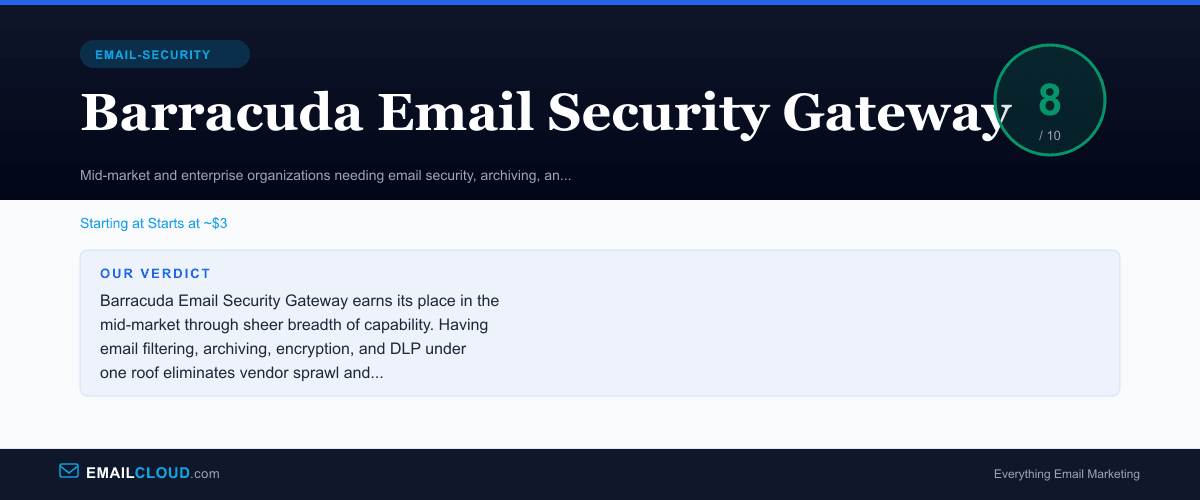
Barracuda Email Security Gateway earns its place in the mid-market through sheer breadth of capability. Having email filtering, archiving, encryption, and DLP under one roof eliminates vendor sprawl and simplifies compliance. The catch rates are solid, the brand is trusted, and the Microsoft 365 integration has matured well. But the pricing scales steeply, the licensing is unnecessarily complex, and the interface needs modernization. For organizations in the 200 to 2,000 user range who value consolidation over best-of-breed, Barracuda remains a strong contender.
Review Summary
Share this visual summary. Right-click to save.
Frequently Asked Questions
Is Barracuda Email Security Gateway worth the cost?
For mid-market organizations that need email security plus archiving and encryption in a single platform, Barracuda offers genuine value by eliminating the need for multiple vendors. However, if you only need spam and phishing filtering without the compliance features, more affordable options like SpamTitan deliver comparable protection at a third of the price.
Does Barracuda work with Microsoft 365?
Yes. Barracuda offers both gateway-based protection (MX record redirect) and API-based integration that connects directly to Microsoft 365 via Microsoft Graph API. The API-based approach can detect internal threats and post-delivery attacks that gateway-only solutions miss. Barracuda also offers a dedicated Barracuda Email Protection product built specifically for cloud email environments.
How does Barracuda compare to Proofpoint?
Proofpoint offers superior threat intelligence and more sophisticated attack detection, especially for business email compromise and targeted attacks. Barracuda counters with a more integrated feature set (archiving and encryption built in) and a lower starting price point. Proofpoint is the better choice for large enterprises facing advanced threats. Barracuda is better for mid-market companies that want consolidated security, archiving, and compliance in one vendor.