Amazon SES Review: The Cheapest Email Sending Infrastructure
Pros
- Cheapest email sending available — $0.10 per 1,000 emails
- Free tier sends 62,000 emails/month from EC2 instances
- Massive, battle-tested AWS infrastructure with global reach
- Highly configurable — dedicated IPs, configuration sets, sending pools
- Integrates natively with the entire AWS ecosystem
Cons
- Requires significant technical setup — no turnkey experience
- No dashboard for message search or delivery debugging
- Minimal support unless you pay for AWS Business or Enterprise support
- Deliverability management is entirely your responsibility
- No built-in templates, analytics dashboard, or visual tools
What is Amazon SES?
Amazon Simple Email Service (SES) is AWS’s cloud email sending infrastructure. It is not an email marketing platform. It is not a transactional email service with a friendly dashboard. It is raw email sending infrastructure — the plumbing that other email services build their products on top of. Several major email platforms, including EmailOctopus and some configurations of Mailgun, use SES as their underlying sending layer.
SES was launched in 2011 as part of the AWS ecosystem and has grown into one of the highest-volume email sending services in the world. It handles billions of emails daily for companies ranging from Netflix and Reddit to thousands of smaller applications that chose SES because they could not justify paying 5-15x more per email for a managed service when they had the technical capability to manage email infrastructure themselves.
The fundamental proposition is simple: if you have engineers who can handle setup, configuration, and ongoing management, SES will send your email for one-tenth the cost of the next cheapest alternative. If you do not have those engineers, the cost savings evaporate in development time and deliverability headaches.
We have deployed SES for high-volume notification systems, transactional email infrastructure, and as a cost-optimization layer for applications that outgrew the pricing of managed services. This review covers what setting up and running SES actually looks like, and whether the cost savings justify the effort.
Pricing Breakdown
SES pricing is the simplest and cheapest in the email industry:
- Sending: $0.10 per 1,000 emails
- Receiving: $0.10 per 1,000 emails (first 1,000/month free)
- Attachments: $0.12 per GB of attachment data
- Dedicated IPs: $24.95/month per IP
- Virtual Deliverability Manager: $0.07 per 100 emails (optional managed deliverability)
- Free tier: 62,000 emails/month free when sending from an EC2 instance
At volume, the cost advantage is dramatic:
| Monthly Volume | Amazon SES | SendGrid Essentials | Mailgun Foundation | Postmark |
|---|---|---|---|---|
| 10,000 | $1.00 | $19.95 | $35.00 | $15.00 |
| 50,000 | $5.00 | $19.95 | $35.00 | $45.00 |
| 100,000 | $10.00 | $19.95 | $35.00 | $75.00 |
| 500,000 | $50.00 | ~$250 | ~$360 | $195.00 |
| 1,000,000 | $100.00 | ~$450 | ~$650 | $395.00 |
At 1 million emails per month, SES saves $300-550/mo compared to competitors. Over a year, that is $3,600-6,600 in savings. For high-volume senders, the math is compelling — if you can handle the infrastructure.
Key Features We Tested
Setup and Configuration
Setting up SES is a multi-step process that assumes familiarity with AWS:
- AWS account creation — Standard AWS signup with billing configuration
- IAM credentials — Create dedicated IAM users or roles with SES permissions
- Domain verification — Add DNS records (DKIM, SPF, DMARC) to verify sending domains
- Sandbox mode — New SES accounts start in sandbox mode, which restricts sending to verified addresses only. You must request production access through AWS, providing a description of your use case, expected volume, and bounce/complaint handling procedures
- Integration — Connect via SMTP or the SES API using AWS SDKs
The production access request typically takes 24-48 hours and is reviewed by AWS staff. They want to confirm you are sending legitimate email before granting unrestricted access. This gatekeeping, while inconvenient, contributes to SES’s overall IP reputation quality.
Compare this to SendGrid, where you sign up, verify a sender, and start sending within 10 minutes. Or Postmark, where the onboarding experience is polished and guided. SES’s setup process is designed for engineers, not marketers.
Sending Infrastructure
Once configured, SES’s sending capabilities are comprehensive:
- SMTP interface — Standard SMTP credentials for applications that send email through SMTP
- API sending — AWS SDKs for Python (boto3), Node.js, Java, .NET, Go, PHP, and Ruby
- Bulk sending — Batch API for high-volume sending with recipient-specific content
- Configuration sets — Group sending settings, tracking options, and event publishing destinations
- Sending pools — Route different email types through different IP pools for reputation isolation
For applications already in the AWS ecosystem, SES integrates naturally with Lambda (serverless email processing), SNS (event notifications), S3 (email archiving), CloudWatch (metrics and alerting), and Kinesis (streaming event data).
Deliverability Management
Here is where SES diverges most from managed services: deliverability is your responsibility. SES provides the tools — dedicated IPs, DKIM signing, feedback loops, reputation dashboards, and bounce/complaint notifications — but you build and manage the deliverability strategy yourself.
What this means in practice:
- Bounce handling: SES publishes bounce notifications via SNS. You must build a system to receive these notifications and remove bounced addresses from your sending lists. If your bounce rate exceeds 5%, AWS may throttle or suspend your account.
- Complaint handling: Same as bounces — complaints are published via SNS, and you must process them. A complaint rate above 0.1% triggers warnings.
- IP warmup: If you use dedicated IPs, you must warm them up manually by gradually increasing volume. Use our Warmup Calculator to plan the ramp-up.
- List hygiene: No built-in list cleaning or verification. You need to validate addresses before sending, either through a third-party service or your own validation logic.
This is not a criticism — it is the tradeoff for paying one-tenth the price. Managed services like Postmark and Mailgun include these protections because you are paying for them. SES gives you the building blocks and expects you to assemble them.
Virtual Deliverability Manager
AWS introduced the Virtual Deliverability Manager (VDM) as an add-on that provides some of the managed deliverability features that SES traditionally lacked. VDM includes:
- Dashboard with deliverability metrics and reputation scores
- Automatic engagement-based sending optimization
- ISP-level insights showing inbox placement by provider
- Recommendations for improving deliverability
VDM costs $0.07 per 100 emails ($0.70/1,000), which raises SES’s effective cost from $0.10/1,000 to $0.80/1,000. At that price, you are approaching Mailgun territory but with less tooling. VDM is useful for teams that want some managed deliverability without switching to a full-service platform, but it does not replace the dashboard, log search, and support that services like Postmark provide.
Analytics and Monitoring
SES does not include a traditional analytics dashboard. Event data — sends, deliveries, opens, clicks, bounces, complaints — is published to CloudWatch metrics or streamed to Kinesis for custom analysis. You can build dashboards in CloudWatch or third-party tools like Grafana, but you are building them yourself.
There is no message search. You cannot look up a specific recipient’s email and see what happened to it — the way you can in Postmark, Mailgun, or SendGrid’s dashboards. For debugging delivery issues, you need to correlate logs from your application with SES event data, which is time-consuming compared to typing an email address into a search box.
Who Should Use Amazon SES?
SES is the right choice for a specific profile:
- Engineering teams already on AWS with the skills and infrastructure to manage email delivery
- High-volume senders where the 10-15x cost savings over managed services justifies the engineering investment
- Applications with existing bounce/complaint handling that just need cheaper sending infrastructure
- Cost-optimizing companies migrating from managed services after their email operations are mature and well-understood
Who Should Look Elsewhere?
Non-technical teams or companies without dedicated engineering resources should use a managed service. The setup, configuration, and ongoing management of SES requires skills that marketing teams and non-technical founders do not have.
Applications where transactional email speed matters should choose Postmark. SES delivery times are inconsistent — ranging from seconds to several minutes depending on load, region, and recipient provider. For user-facing transactional email where delays create support tickets, Postmark’s consistent sub-10-second delivery is worth the premium.
Small projects sending fewer than 10,000 emails per month will save minimal money on SES (about $1/mo vs. $15-35/mo for managed services). The engineering time spent on setup and maintenance far exceeds the cost savings.
Teams that need a dashboard, log search, and message debugging should use Mailgun, Postmark, or SendGrid. SES does not provide these tools out of the box, and building them is non-trivial.
The Bottom Line
Amazon SES is not a product — it is infrastructure. It provides raw email sending at the lowest possible cost, backed by AWS’s global infrastructure and reliability. For technical teams that can manage deliverability, build monitoring, and handle bounce processing, SES saves thousands of dollars per year compared to managed alternatives.
The cost savings are real and significant. But they come with real engineering requirements that are often underestimated. Teams that deploy SES without proper bounce handling, warmup procedures, and reputation monitoring will experience deliverability problems that managed services would have prevented. SES gives you the power — and the responsibility — of running your own email infrastructure.
Use it if you have the engineers. Pay the premium for Postmark or Mailgun if you do not.
Our Verdict
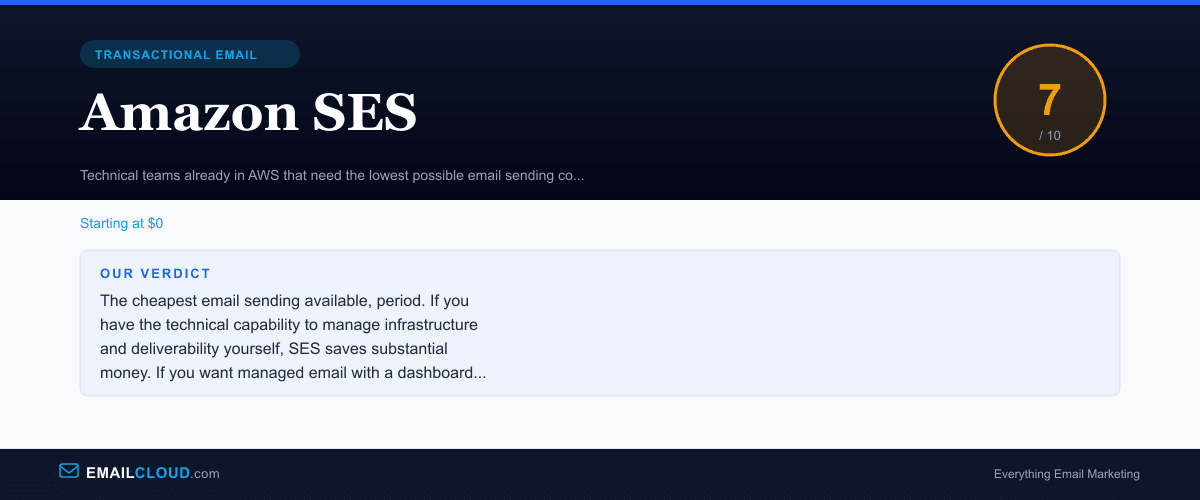
The cheapest email sending available, period. If you have the technical capability to manage infrastructure and deliverability yourself, SES saves substantial money. If you want managed email with a dashboard and support, pay the premium for Postmark or Mailgun.
Review Summary
Share this visual summary. Right-click to save.
Frequently Asked Questions
How cheap is Amazon SES really?
Extremely. SES charges $0.10 per 1,000 emails with no monthly minimum. Attachments add $0.12 per GB of data. Dedicated IPs are $24.95/mo each. If your application runs on EC2, you get 62,000 emails per month free. At 100,000 emails/month, SES costs $10 — compared to SendGrid at $19.95, Mailgun at $35, and Postmark at $15. At 1 million emails/month, SES costs $100 while competitors charge $200-500+.
Is Amazon SES hard to set up?
Yes, relative to other email services. SES requires AWS account setup, IAM credential management, domain verification through DNS records, production access approval (new accounts start in sandbox mode with restricted sending), and either SMTP or API integration into your application. There is no dashboard for composing or managing email — it is purely infrastructure. Developers comfortable with AWS will find it manageable. Non-technical users should look elsewhere.
Can I use Amazon SES for marketing email?
Technically yes, but SES is not designed for it. There is no visual email builder, subscriber management, segmentation, or automation. You would need to build or buy those capabilities separately. Some users pair SES with open-source tools like Mailtrain or Mautic for marketing email on cheap infrastructure, but this approach requires significant technical effort. For marketing email, purpose-built platforms like GetResponse or MailerLite are far more practical.
How is Amazon SES deliverability?
SES deliverability can be excellent, but it requires active management. AWS provides the infrastructure — dedicated IPs, DKIM signing, feedback loops, and reputation dashboards — but you are responsible for list hygiene, content quality, warmup strategy, and bounce/complaint handling. Well-managed SES accounts achieve deliverability comparable to any premium service. Neglected accounts can suffer reputation issues quickly because AWS shares IP pools across many senders.