MxToolbox Review: Free Email Diagnostics and Monitoring Platform

Pros
- Free MX lookup, blacklist check, SPF/DKIM/DMARC analysis — indispensable for quick diagnostics
- Checks against 100+ blacklists in a single query — the most comprehensive free blacklist tool available
- Trusted by IT professionals for over 15 years — the de facto standard for email DNS lookups
- SuperTool combines multiple checks into a single interface with clear pass/fail results
- DMARC report aggregation and analysis on paid plans
Cons
- Free tools show ads and have usage limits that push toward paid plans
- Paid Delivery Center starts at $129/mo — expensive for small senders
- User interface has not been meaningfully updated in years
- Advanced features (DMARC analytics, monitoring alerts) require paid plans
- No inbox placement testing — strictly focused on DNS, authentication, and infrastructure diagnostics
What is MxToolbox?
MxToolbox is the Swiss Army knife of email infrastructure diagnostics. For over 15 years, it has been the first tool that email administrators, deliverability specialists, and IT professionals reach for when they need to check DNS records, verify email authentication, or diagnose why email is not being delivered.
The platform offers a collection of free diagnostic tools accessible through a web interface — no account required for basic lookups. Type in a domain or IP address, and MxToolbox will check MX records, query blacklists, validate SPF syntax, look up DKIM selectors, verify DMARC configuration, test SMTP connectivity, and run dozens of other diagnostic checks. For the email equivalent of “is it plugged in?” troubleshooting, MxToolbox provides immediate answers.
Beyond the free tools, MxToolbox offers a paid monitoring platform called Delivery Center that provides continuous monitoring, alerting, DMARC report aggregation, and multi-domain management. The free-to-paid transition reflects the reality that one-off diagnostics are useful for troubleshooting, but ongoing monitoring is what prevents problems from escalating.
We use MxToolbox regularly in our own workflows and built several of our free tools to complement its capabilities. This review covers both the free diagnostic tools and the paid monitoring platform, with an honest assessment of where MxToolbox excels and where alternatives may serve you better.
Key Features We Tested
MX Lookup
The most basic and most frequently used tool. Enter a domain, and MxToolbox returns the MX records — the DNS entries that tell other mail servers where to deliver email for that domain. The results show priority values, the hostnames of the mail servers, and their IP addresses. It also checks whether the mail servers are responding and accepting connections.
This is a fundamental diagnostic tool. If email is not being received at a domain, the first check is always MX records. Are they configured? Do they point to the correct servers? Are those servers responding? MxToolbox answers all three questions instantly.
Blacklist Check
MxToolbox’s blacklist tool queries over 100 DNS-based blacklists (DNSBLs) simultaneously and reports whether your IP address or domain appears on any of them. Getting listed on a blacklist — even a minor one — can significantly impact deliverability, and many senders do not discover they are listed until delivery problems are already severe.
The breadth of MxToolbox’s blacklist coverage is its strongest feature. Most competing tools check 30-50 blacklists. MxToolbox checks over 100, including the major lists (Spamhaus, Barracuda, SORBS, SpamCop) and dozens of smaller regional or specialized lists. A clean bill of health from MxToolbox’s blacklist check gives genuine confidence that your IP and domain are not being actively blocked.
Our free blacklist checker covers the most impactful blacklists for deliverability. MxToolbox’s advantage is the sheer number of lists checked — useful for catching listings on obscure lists that rarely cause delivery problems but occasionally matter for specific recipients.
SPF, DKIM, and DMARC Validation
MxToolbox validates all three email authentication protocols:
SPF: Retrieves the domain’s SPF record, parses the syntax, checks for common errors (too many DNS lookups, missing mechanisms, incorrect formatting), and verifies that the record resolves correctly. This is critically important because a malformed SPF record can cause authentication failures that route your email to spam — and SPF errors are among the most common deliverability mistakes we see.
DKIM: Looks up DKIM public keys using the selector and domain. Verifies that the key exists, is properly formatted, and is accessible for receiving servers to validate signatures. DKIM lookup requires knowing the selector (which varies by ESP), so this tool is most useful when you know what you are looking for.
DMARC: Validates the DMARC record syntax, checks alignment mode (relaxed vs. strict), reports the policy (none, quarantine, reject), and verifies the reporting addresses. The DMARC check is the fastest way to confirm whether a domain has a DMARC policy and what it does.
These authentication checks overlap with our free SPF checker and DMARC checker, which provide similar validation with more explanation for users who are setting up authentication for the first time. MxToolbox’s tools are faster for experienced administrators who just need the raw record data.
SuperTool
The SuperTool is MxToolbox’s attempt to consolidate its many diagnostic tools into a single interface. Enter a domain or IP address, and the SuperTool automatically runs the most relevant checks — MX lookup, blacklist check, SMTP test, SPF validation — and presents the results on one page with pass/fail indicators.
For quick health checks, the SuperTool saves time by eliminating the need to run each diagnostic individually. The pass/fail format makes it easy to spot problems at a glance. For deeper investigation, you can drill into individual tool results from the SuperTool page.
DMARC Analytics (Paid)
The paid Delivery Center includes DMARC report aggregation and analysis, similar to what GlockApps offers. When you point your DMARC reporting address to MxToolbox, the platform collects the XML reports from receiving servers and visualizes them as charts showing authentication pass/fail rates by sending source.
The DMARC analytics help you understand who is sending email as your domain, whether legitimate sources are properly authenticated, and whether unauthorized senders are spoofing your domain. This data is essential for moving from a DMARC policy of p=none (monitor only) to p=quarantine or p=reject (enforcement) without accidentally blocking legitimate email.
Pricing Breakdown
Free Tools: All diagnostic tools (MX lookup, blacklist check, SPF/DKIM/DMARC validation, SMTP test, DNS lookup, header analysis, and more) are free to use through the web interface. Usage limits apply (approximately 10-20 lookups per day without an account), and results pages display advertising.
Delivery Center (paid monitoring):
- Delivery Center ($129/mo): Continuous blacklist monitoring for up to 5 IPs/domains, email alerts, DMARC report aggregation and analysis, uptime monitoring, scheduled diagnostic reports
- Delivery Center Pro ($399/mo): Up to 25 IPs/domains, API access, advanced DMARC analytics, priority support, custom reporting
- Enterprise (custom): Unlimited IPs/domains, SLA, dedicated support, custom integrations
The jump from free to $129/month is steep. There is no intermediate tier for users who want basic monitoring (daily blacklist checks, simple alerts) without the full Delivery Center suite. This pricing gap pushes many users to use the free tools for ad-hoc diagnostics while turning to cheaper monitoring alternatives for continuous checks.
For organizations managing email infrastructure for multiple domains — hosting companies, agencies, enterprises — the paid plans provide genuine value through centralized monitoring and alerting. For a single-domain sender, $129/month is hard to justify when the free tools can be run manually for periodic checks.
Who It’s Best For
Email administrators and IT professionals use MxToolbox constantly. When an email system breaks — messages are bouncing, deliverability drops, a blacklist notification arrives — MxToolbox is the diagnostic starting point. The free tools provide immediate answers about DNS configuration, authentication setup, and blacklist status.
Deliverability professionals managing email programs for clients or large organizations benefit from both the free diagnostics and the paid monitoring. The Delivery Center’s DMARC analytics and automated blacklist monitoring provide ongoing visibility that manual checks cannot match.
Anyone setting up email authentication for the first time can use MxToolbox to validate SPF, DKIM, and DMARC records after configuration. The tools confirm that records are syntactically correct and accessible, catching errors before they cause delivery problems.
For marketers and business users who do not manage email infrastructure directly, MxToolbox’s value is limited. The tools are technical and assume familiarity with DNS, SMTP, and email authentication concepts. If terms like “MX record,” “SPF mechanism,” and “DKIM selector” are not part of your vocabulary, start with our free tools, which provide more context and explanation alongside the diagnostic results.
Limitations
MxToolbox is an infrastructure diagnostic tool, not a deliverability platform. It tells you whether your DNS records are correct and whether your IP is blacklisted, but it cannot tell you whether your emails are reaching the inbox. There is no content analysis, no inbox placement testing, no engagement metrics, and no sender reputation scoring. For the full deliverability picture, supplement MxToolbox with our free Deliverability Tester — it adds inbox placement simulation, content analysis, and spam scoring to the authentication and blacklist checks MxToolbox covers. For enterprise-scale monitoring, Validity Everest fills the continuous real-time monitoring gap.
The user interface is functional but dated. The tools work the same as they did years ago, which is a testament to their reliability but also means the experience has not kept pace with modern web applications. Navigation between tools requires multiple page loads, results formatting is dense, and the overall design feels like it belongs to the late 2000s.
Free tool usage limits can be frustrating during active troubleshooting sessions when you need to run many queries in quick succession. Creating a free account extends the limits somewhat, but heavy diagnostic work may require a paid plan or supplementing with alternative tools.
The pricing gap between free and paid is too wide. A $30-50/month tier with basic monitoring for a single domain would serve the large number of users who want more than ad-hoc diagnostics but less than enterprise-grade monitoring. As it stands, the $129/month minimum pushes smaller senders toward cheaper alternatives or manual monitoring routines.
Advertising on the free tools is aggressive and occasionally misleading — ads for email services are interspersed with MxToolbox’s own results, which can confuse less experienced users about what is diagnostic data and what is advertising.
Bottom Line
MxToolbox is essential. The free diagnostic tools are the best available for quick email infrastructure checks, and virtually every email professional uses them. Bookmark MxToolbox for the same reason you keep a multimeter in your toolkit — you may not use it every day, but when you need it, nothing else will do.
For a complete picture of your deliverability health, combine MxToolbox’s infrastructure checks with our free Deliverability Tester. Our tester adds the inbox placement simulation, content analysis, and spam scoring that MxToolbox intentionally does not cover — giving you foundational diagnostics end-to-end, free, without an account. For ongoing DNS checks, our SPF Checker, DMARC Checker, Blacklist Checker, and MX Lookup tools complement MxToolbox nicely with a cleaner interface and no usage caps.
The paid monitoring platform is capable but expensive for what it offers. Small to mid-size senders are better served by the free tools plus manual periodic checks or cheaper monitoring alternatives. Large organizations managing email infrastructure across multiple domains and IPs will find the Delivery Center’s consolidated monitoring and DMARC analytics worth the investment. Either way, the free tools alone justify MxToolbox’s place in every email professional’s toolkit.
Our Verdict
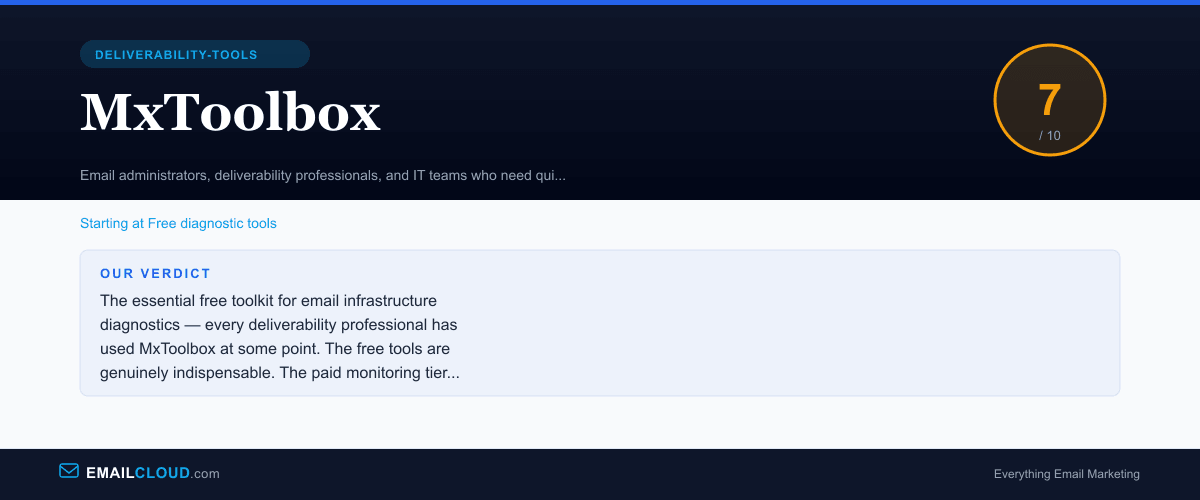
The essential free toolkit for email infrastructure diagnostics — every deliverability professional has used MxToolbox at some point. The free tools are genuinely indispensable. The paid monitoring tier is capable but expensive, and the interface shows its age. Worth bookmarking for the free tools alone.
Review Summary
Share this visual summary. Right-click to save.
Frequently Asked Questions
Is MxToolbox free?
The core diagnostic tools are free: MX lookup, blacklist check, SPF record check, DKIM lookup, DMARC record check, DNS lookup, SMTP diagnostics, and more. These free tools have some usage limits (number of lookups per day) and display advertising, but they are fully functional and provide the same results as paid alternatives. The paid plans (starting at $129/month) add continuous monitoring, alerts, DMARC report aggregation, and multi-domain management. Most users start with the free tools and only upgrade to paid monitoring if they need ongoing automated checks.
How does MxToolbox compare to EmailCloud's free tools?
We built our free SPF checker, DMARC checker, blacklist checker, and deliverability score tools to provide similar diagnostic capabilities with a cleaner interface and no advertising. MxToolbox has the advantage of history and breadth — it checks more blacklists, offers more specialized DNS tools, and provides the SuperTool that combines multiple checks. For quick one-off diagnostics, either toolset works well. MxToolbox's paid monitoring tier has no equivalent in our free toolkit — if you need automated continuous monitoring with alerts, MxToolbox's Delivery Center or a similar paid service fills that gap.
What is MxToolbox used for?
MxToolbox is used for diagnosing email infrastructure problems. The most common use cases are: checking whether your sending IP is on any blacklists, verifying that SPF, DKIM, and DMARC records are correctly configured, looking up MX records for a domain, testing SMTP server connectivity, and diagnosing DNS issues that affect email delivery. It is the tool that deliverability professionals and system administrators reach for first when something goes wrong with email — the equivalent of a stethoscope for email infrastructure.
Does MxToolbox help with email deliverability?
MxToolbox helps with the infrastructure side of deliverability — ensuring your DNS records are correct, your authentication is properly configured, and your sending IPs are not blacklisted. These are foundational requirements for good deliverability. However, MxToolbox does not test inbox placement (whether your email reaches the inbox vs. spam), analyze email content for spam triggers, or provide sender reputation scoring. For the full deliverability picture, pair MxToolbox's infrastructure diagnostics with our free Deliverability Tester at /delivery-check, which adds inbox placement simulation, content analysis, and spam scoring on top of the authentication checks MxToolbox covers.
Stay ahead of the inbox
Weekly tips on deliverability, automation, and growing your list. No spam, ever.
No spam. Unsubscribe any time. We respect your inbox.