Lavender Review: AI Coaching That Actually Improves Sales Emails

Pros
- Real-time email scoring provides actionable feedback as you write — not after
- Recipient intelligence analyzes prospect personality, role, and preferences to tailor suggestions
- Backed by reply rate data — recommendations are based on what actually drives responses
- Integrations with Gmail, Outlook, Salesloft, Outreach, and HubSpot eliminate workflow friction
Cons
- Narrow use case — built specifically for sales emails, not marketing campaigns or newsletters
- Free plan is too limited at 5 emails/mo to properly evaluate the tool
- Recipient analysis depends on available public data — thin profiles produce generic suggestions
What is Lavender?
Lavender approaches AI email assistance from a fundamentally different angle than most tools in this category. While Jasper and Copy.ai generate email copy, and Grammarly corrects it, Lavender coaches you to write better sales emails by providing real-time feedback based on what actually drives replies.
Founded in 2020 by Will Allred and William Saxby, Lavender started with a simple observation: sales teams send millions of emails that never get responses, and most of the reasons are fixable. Emails are too long. Subject lines are too generic. The copy is about the sender rather than the recipient. The CTA is buried or unclear. These are patterns that data can identify and coaching can correct — which is exactly what Lavender built.
The platform sits in your email client as a sidebar widget, scoring your email in real time as you draft it. It is not writing the email for you (though it can suggest rewrites). It is watching you write and telling you, sentence by sentence, what will help and what will hurt your chances of getting a reply. Think of it as a sales email coach who has analyzed millions of emails and knows what works.
We tested Lavender across B2B cold outreach campaigns, follow-up sequences, and account-based sales motions. This review covers what the coaching model delivers, who benefits most, and where the tool falls short.
Key Features
Real-Time Email Scoring
Lavender’s core feature is a dynamic score (0-100) that updates as you type. The scoring model evaluates your email against multiple dimensions:
- Length: Emails under 75 words reply at 2x the rate of emails over 150 words in cold outreach. Lavender flags when you exceed optimal length and identifies specific sections to cut.
- Reading level: Emails written at a 5th-grade reading level get 36% more replies than those written at a college level. Lavender highlights complex sentences and suggests simplifications.
- Subject line quality: The sidebar scores your subject line on length, personalization, and interest triggers. Run the suggestions through our Subject Line Grader for additional validation.
- Personalization depth: Lavender checks whether your email references specific details about the recipient, their company, or their situation. Generic emails get flagged.
- Question usage: Emails that end with a question see higher reply rates. Lavender encourages ending with a clear, easy-to-answer question rather than an open-ended ask.
- Mobile readability: Over 60% of business email is read on mobile. Lavender checks paragraph length, sentence structure, and overall formatting for mobile rendering.
The scoring is not arbitrary. Lavender’s model is trained on data from millions of sales emails with tracked reply outcomes. When the tool says “emails with this characteristic reply at X% higher rates,” it is citing aggregated performance data, not opinion.
In our testing, drafts that started at a Lavender score of 40-50 improved to 75-85 after implementing the suggestions. The corresponding improvement in actual reply rates is harder to attribute precisely, but teams we interviewed reported 15-30% improvements in reply rates after adopting Lavender’s recommendations consistently.
Recipient Intelligence
Before you write a word, Lavender analyzes your recipient. When you enter an email address in the compose window, Lavender pulls available public data — LinkedIn profile, company information, recent news, published content — and generates a profile that includes:
- DISC personality assessment: Based on public communication patterns, Lavender estimates the recipient’s communication style (Dominant, Influential, Steady, Conscientious) and recommends adapting your approach accordingly. A “D-style” executive gets a short, results-focused email. An “S-style” manager gets a relationship-oriented approach.
- Communication preferences: Suggested email length, formality level, and structural approach based on the prospect’s apparent style.
- Talking points: Relevant topics drawn from the recipient’s recent activity — LinkedIn posts, company announcements, published articles — that you can reference to demonstrate genuine research.
The quality of this analysis varies with data availability. For VP-level executives at companies with active LinkedIn presences, the profiles are detailed and useful. For individual contributors at small companies with limited online presence, the profiles may offer little beyond basic role and company information. Lavender is most valuable when prospecting into companies where prospect data is readily available — typically mid-market and enterprise.
Team Analytics
Lavender’s team features (available on Team plans) provide managers with visibility into email quality across the sales organization:
- Score distribution: See which reps consistently write high-scoring emails and which need coaching.
- Before/after comparisons: Track how email quality improves over time as reps internalize Lavender’s recommendations.
- Best practices library: Save high-scoring emails as templates that the team can reference and adapt.
- Coaching insights: Identify the most common issues across the team — too many emails are too long, or subject lines lack personalization — and address them in training.
For sales managers, this visibility transforms email coaching from subjective (“your emails need to be better”) to data-driven (“your average email length is 180 words — top performers on our team average 72 words”).
Integrations
Lavender integrates with the platforms where sales teams actually write emails:
- Gmail and Google Workspace: Browser extension activates in the compose window.
- Outlook: Desktop and web extension support.
- Salesloft: Embedded coaching inside Salesloft’s email composer.
- Outreach: Same embedded experience within Outreach sequences.
- HubSpot: Coaching inside HubSpot’s email tool.
The integrations are seamless — Lavender appears as a sidebar or panel within your existing workflow, not a separate tool you switch to. This matters for adoption. Sales reps already juggle multiple tools; adding another tab to open kills usage. Lavender’s approach of embedding directly into the tools reps already use drives significantly higher adoption rates than standalone AI writing platforms.
Pricing Breakdown
Lavender’s pricing is structured to serve individual reps and teams:
- Free (5 emails/mo): Enough to try the scoring feature on a few emails but not enough to properly evaluate the tool’s impact on your workflow. Think of it as a demo, not a plan.
- Starter ($29/mo): Unlimited email scoring, personalization assistant, GrammarlyGO-like rewrite suggestions, mobile preview. Good for individual reps.
- Pro ($49/mo): Everything in Starter plus unlimited recipient intelligence, team analytics, priority support. The full feature set for serious users.
- Team (custom pricing): Everything in Pro plus admin dashboard, team-wide analytics, onboarding support, custom integrations. Priced per seat with volume discounts.
For a single SDR sending 50+ cold emails per week, the $29/mo Starter plan adds less than $0.15 per email in tooling cost. If Lavender improves reply rates by even 10% and that translates to one additional meeting per month, the ROI is immediate for most B2B sales contexts where a meeting is worth $100+.
The pricing compares favorably to Smartwriter.ai, which charges $59/mo for AI personalization without the coaching component. It is cheaper than Jasper ($49/mo) for the narrower use case of sales email. For teams already using Grammarly ($30/mo for Premium), Lavender adds a complementary layer — Grammarly for correctness, Lavender for persuasion.
Who It’s Best For
Lavender’s value is concentrated in specific sales roles:
- SDRs and BDRs doing high-volume cold outreach. These are the users sending 40-100+ emails daily where marginal improvements in reply rates compound into meaningful pipeline impact.
- Account executives writing personalized outreach to high-value prospects. The recipient intelligence feature is most useful when you are crafting individually tailored emails to specific decision-makers.
- Sales managers who need to coach their team’s email quality at scale. The team analytics provide the data to make coaching specific and actionable.
- Founders doing founder-led sales who are good at their product but not necessarily at cold email. Lavender’s coaching accelerates the learning curve.
Limitations
Several limitations define where Lavender does and does not fit:
Sales email only. Lavender is not built for marketing campaigns, newsletters, transactional email, or any one-to-many email use case. It does not integrate with ESPs like Mailchimp or ActiveCampaign. If you write marketing email, other tools in this category serve you better. For marketing-specific AI optimization, see our guide on AI email copywriting.
Coaching, not generating. Lavender coaches you to write better emails — it does not write them for you. While it offers rewrite suggestions, the primary value is the scoring and feedback model. If you want AI to generate complete cold email sequences from scratch, Smartwriter.ai or Copy.ai are better fits. Lavender’s approach assumes you are doing the writing and it is making you better at it.
Recipient analysis varies. The DISC profiling and communication preference features depend entirely on available public data. For prospects with sparse online presence, the analysis provides minimal value. This is a fundamental limitation — Lavender cannot invent data that does not exist.
Free plan is a trial, not a plan. Five emails per month is not enough to evaluate whether Lavender improves your workflow. You need at least 2-4 weeks of daily use to internalize the coaching and see results. The free plan is a demo dressed as a tier. Budget for at least the Starter plan to give Lavender a fair evaluation.
No deliverability intelligence. Lavender optimizes for reply rates but does not check for spam trigger words, domain reputation issues, or inbox placement risks. Cold email is especially vulnerable to spam filtering, so pair Lavender with our Spam Word Checker to ensure your optimized emails actually reach the inbox. Our guide on AI email personalization at scale covers deliverability considerations for outbound campaigns.
How It Compares
Lavender occupies a unique position in the AI email tools landscape:
- Vs. Grammarly: Grammarly catches errors in any writing. Lavender coaches persuasion in sales email specifically. They complement each other perfectly — use both. See our Grammarly review for details.
- Vs. Jasper/Copy.ai: These tools generate email copy. Lavender improves email copy you are writing. If you want a first draft generated, use Jasper or Copy.ai. If you want coaching on your own writing, use Lavender. Some users generate a draft with Copy.ai and then refine it using Lavender’s scoring.
- Vs. Smartwriter.ai: Smartwriter.ai automates personalized first lines by scraping prospect data. Lavender helps you write the entire email better. Smartwriter saves research time; Lavender improves writing quality. For high-volume outreach, some teams use both — Smartwriter for the personalized opener, Lavender for the rest of the email.
- Vs. Phrasee: Phrasee optimizes subject lines at enterprise scale using predictive models. Lavender coaches the full email at individual scale. Different tools for different problems at different price points.
The Bottom Line
Lavender is the only AI email tool in our review series that makes you a better email writer rather than writing for you. The real-time scoring, backed by reply rate data from millions of emails, provides feedback that is specific, actionable, and demonstrably effective. The recipient intelligence adds a research layer that saves time and improves personalization.
The narrow focus on sales email is simultaneously Lavender’s greatest strength and its biggest limitation. If you write sales emails professionally, this tool will improve your results. If you manage marketing campaigns, send newsletters, or write transactional email, Lavender has nothing to offer you.
For SDRs and sales teams, start with the $29/mo Starter plan, use it for a full month, and track your reply rate before and after. The data will make the decision for you.
Our Verdict
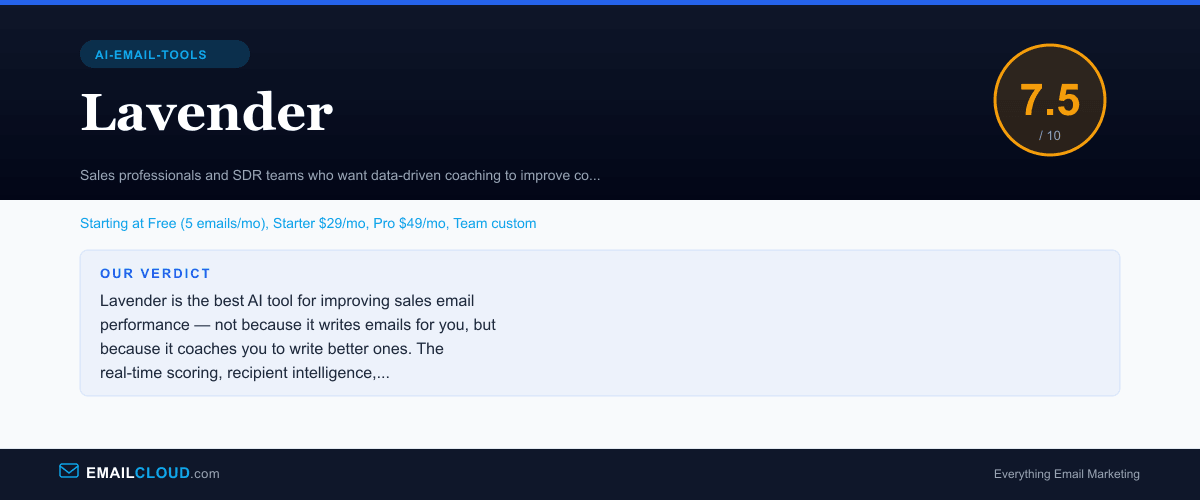
Lavender is the best AI tool for improving sales email performance — not because it writes emails for you, but because it coaches you to write better ones. The real-time scoring, recipient intelligence, and reply-rate-backed recommendations represent a genuinely differentiated approach. The narrow focus on sales email limits its audience, but for SDRs and sales teams, the improvement in reply rates typically justifies the investment within the first month.
Review Summary
Share this visual summary. Right-click to save.
Frequently Asked Questions
How does Lavender's email scoring work?
Lavender assigns a score from 0-100 to your email draft in real time as you type. The score is based on factors proven to correlate with higher reply rates: email length, reading level, subject line quality, personalization depth, question usage, CTA clarity, and mobile readability. The sidebar shows specific suggestions for improving the score — shorten this paragraph, simplify this sentence, add a question to increase engagement. The scoring model is trained on data from millions of sales emails.
Is Lavender useful for email marketing campaigns?
Lavender is designed specifically for one-to-one sales emails and cold outreach, not one-to-many marketing campaigns. It does not integrate with ESPs like Mailchimp or ActiveCampaign, does not handle bulk sends, and its optimization recommendations are calibrated for reply rates rather than open rates or click-through rates. For marketing email, tools like Jasper, Copy.ai, or our free Subject Line Grader are more appropriate.
How accurate is Lavender's recipient analysis?
Accuracy depends on the public data available for each prospect. For well-known executives at public companies, the analysis is detailed and useful — personality type, communication preferences, recommended approach. For less prominent individuals at smaller companies, the analysis may be sparse. Lavender pulls from LinkedIn, company websites, news, and other public sources. It is most valuable when prospecting into mid-market and enterprise companies where prospect data is readily available.
Does Lavender replace Grammarly for sales email?
They solve different problems and work well together. Grammarly catches grammar, spelling, and tone issues. Lavender coaches on persuasion, structure, and sales-specific optimization. You can run both simultaneously — Grammarly's browser extension activates alongside Lavender's sidebar without conflict. For sales professionals, the combination covers both writing quality and strategic effectiveness.
Stay ahead of the inbox
Weekly tips on deliverability, automation, and growing your list. No spam, ever.
No spam. Unsubscribe any time. We respect your inbox.