Grammarly Review: The Email Editor Everyone Already Uses

Pros
- Near-universal coverage — browser extension works in Gmail, Outlook, and every major ESP editor
- Tone detection catches mismatches between intended and perceived tone before you send
- GrammarlyGO can rewrite entire emails and adjust formality, length, or tone on demand
- Free tier covers basic grammar and spelling — genuinely useful without paying
Cons
- Not email-specific — suggestions apply equally to blog posts, reports, or any writing
- GrammarlyGO's AI rewrites can flatten distinctive voice into generic professional prose
- Premium pricing is steep at $30/mo for what is essentially an editing layer
What is Grammarly?
Grammarly is the most widely used writing assistant in the world, with over 30 million daily active users as of 2025. It is not an email marketing tool. It does not generate subject lines, build automation sequences, or optimize send times. But it is used inside email workflows by more people than any purpose-built email AI tool, which makes it relevant — and worth evaluating through the specific lens of email marketing.
Founded in 2009 by Alex Shevchenko, Max Lytvyn, and Dmytro Lider in Kyiv, Ukraine, Grammarly started as a grammar and spelling checker for students and professionals. The product has expanded into a comprehensive writing assistant that covers grammar, punctuation, clarity, tone, engagement, and delivery — with an AI generative layer (GrammarlyGO) added in 2023.
The core product is a browser extension that activates wherever you type text on the web. Gmail, Outlook, Slack, LinkedIn, Notion, Google Docs — and critically for our readers, inside the email editors of Mailchimp, ActiveCampaign, Klaviyo, and every other web-based ESP. It is this universality that makes Grammarly the default writing layer for millions of email marketers who may not even think of it as an “email tool.”
Key Features for Email Marketers
Grammar, Spelling, and Punctuation
The foundational layer. Grammarly catches the errors that undermine credibility in professional email — misplaced commas, subject-verb disagreement, confused homophones, missing articles, incorrect prepositions. These are the mistakes that a human proofreader would catch and that spell-check alone misses.
For email marketing specifically, this matters more than in most writing contexts. A typo in a blog post can be fixed after publication. A typo in an email sent to 50,000 subscribers is permanent. Grammarly’s real-time checking catches these errors before you hit send, and it works across every email surface — composing in Gmail, drafting in your ESP’s editor, or writing in a Google Doc for later import.
The free tier covers grammar, spelling, and basic punctuation. This alone is enough to prevent the most embarrassing errors, and there is no reason not to use it.
Tone Detection
This is Grammarly’s most underrated feature for email communication, and the one that justifies the premium plan for many professionals.
Email is a tone-deaf medium. There is no body language, no vocal inflection, no facial expression to soften or sharpen your words. What you intend as “direct and efficient” can read as “cold and dismissive.” What you intend as “enthusiastic” can read as “unprofessional.” These perception gaps cause real problems in business email — damaged client relationships, confused teams, lost deals.
Grammarly’s tone detector analyzes your text and labels the likely perceived tone: confident, friendly, formal, informal, optimistic, worried, direct, diplomatic, and dozens of other descriptors. When the detected tone does not match your intent, you can adjust before sending.
For email marketers writing campaign copy, tone detection catches a different class of problems. A promotional email that reads as “pushy” rather than “excited.” A re-engagement email that reads as “guilt-tripping” rather than “we miss you.” A welcome email that reads as “corporate” rather than “warm.” These subtle tone misalignments affect engagement metrics in ways that are hard to diagnose — you see lower open rates and clicks but cannot identify why. Tone mismatch is often the answer.
Clarity and Conciseness
Premium Grammarly flags wordy sentences, passive voice, vague language, and unnecessary complexity. For email, where every sentence competes for attention and most recipients skim rather than read, these suggestions have direct impact on engagement.
In our testing, Grammarly’s clarity suggestions reduced average email length by 15-25% without removing substance. Shorter, clearer emails consistently outperform longer ones in both transactional and marketing contexts. Mobile email reading — which accounts for over 60% of opens — makes this even more critical. A 300-word email that Grammarly trims to 220 words is not losing content. It is gaining readability.
GrammarlyGO
Grammarly’s AI assistant, available on Premium and Business plans, can generate and rewrite text within any editor. For email, the most useful GrammarlyGO capabilities include:
- Compose from a prompt: Describe what you want to say and GrammarlyGO drafts the email. The output is professional and clean but tends toward a generic corporate tone.
- Rewrite for tone: Highlight text and ask GrammarlyGO to make it more formal, more casual, more confident, or more diplomatic. This is useful when you have written content that is substantively correct but tonally wrong.
- Shorten: Reduce a long email to its essential points. Surprisingly effective — it identifies and removes filler while preserving meaning.
- Expand: Add detail to a brief email without introducing fluff. Less reliable than shortening but useful when you need to elaborate on a point for clarity.
GrammarlyGO is not competitive with Jasper or Copy.ai for generating marketing email copy from scratch. Its strength is refinement, not creation. Think of it as a editing layer that happens to have generative capability, not a content generation engine that happens to edit.
Pricing Breakdown
Grammarly’s pricing is tiered by capability:
- Free: Grammar, spelling, punctuation, and basic tone detection. Works in the browser extension and desktop apps. No word limit. This covers the most common writing errors and is genuinely useful without paying.
- Premium ($30/mo or $144/yr): Everything in Free plus full clarity and conciseness suggestions, tone detection with adjustments, word choice improvements, full-sentence rewrites, plagiarism detection, and GrammarlyGO with 1,000 AI prompts per month.
- Business ($25/user/mo): Everything in Premium plus team analytics, style guides, brand tone profiles, admin controls, SAML SSO, and priority support. Minimum 3 users.
The annual Premium plan at $12/mo is reasonable for daily email writers. The monthly $30 is harder to justify unless email is a significant part of your job. The Business plan is compelling for marketing teams that want writing consistency across multiple team members — the shared style guide ensures everyone writing emails for the brand maintains the same standards.
For comparison, Jasper at $49/mo generates new content but does not edit. Copy.ai at $49/mo (or free) generates but does not edit. Grammarly at $30/mo edits but generates less effectively. The tools are complementary, not competitive — the best workflow often combines a generation tool with Grammarly as the quality layer.
Who It’s Best For
Grammarly’s value for email is universal but varies in degree:
- Sales professionals writing dozens of emails daily. Tone detection prevents communication misfires. Clarity suggestions keep emails scannable. GrammarlyGO speeds up responses. For salespeople, the premium plan often pays for itself by preventing a single misinterpreted email from derailing a deal. For more specialized sales email coaching, consider pairing Grammarly with Lavender.
- Email marketing managers drafting campaigns in ESP editors. Real-time grammar checking inside Mailchimp or ActiveCampaign catches errors that template previews miss. Tone detection validates that campaign copy hits the intended emotional register.
- Executives and founders whose email communication represents the company. A grammar error in an investor update or a tonal misstep in a client email carries disproportionate consequences.
- Non-native English speakers writing professional email in English. Grammarly catches the article, preposition, and idiom errors that are hardest for non-native speakers to self-correct.
- Anyone who writes email professionally and does not have a human editor reviewing their work. The free plan has no cost and no downside.
Limitations
Understanding what Grammarly does not do for email is as important as what it does:
No email-specific intelligence. Grammarly does not know the difference between a newsletter and a sales email. It does not understand subject line best practices, email deliverability, spam trigger words, or inbox placement. Its suggestions are writing suggestions, not email marketing suggestions. For subject line optimization, use our Subject Line Grader. For spam risk assessment, use our Spam Word Checker. These tools understand email in ways Grammarly does not.
GrammarlyGO flattens voice. The AI rewriting feature has a persistent tendency to smooth distinctive voice into corporate neutral. If your brand voice is irreverent, punchy, or unconventional, GrammarlyGO rewrites will sand down the edges that make your emails memorable. Use it for clarity improvements, not voice creation.
Privacy considerations. Grammarly’s browser extension reads everything you type in the browser to provide suggestions. For companies with strict data handling requirements, this raises questions about sensitive email content being processed by Grammarly’s servers. The Business plan includes data governance features and a BAA for HIPAA-covered entities, but the concern is valid for organizations with strict security postures.
No performance tracking. Grammarly cannot tell you whether its suggestions improved your email metrics. There is no connection between “Grammarly made this email clearer” and “this email had a higher click rate.” The correlation is logical but unmeasured. Tools like Phrasee close this loop at enterprise scale, but Grammarly operates entirely in the pre-send editing phase.
Correction fatigue. Heavy Grammarly users report that the constant stream of suggestions — particularly the optional style improvements — can make writing feel like a negotiation with the tool rather than a creative act. For marketing copywriters, this friction can stifle the experimentation that produces breakthrough email copy. We recommend setting Grammarly to flag errors and tone issues but treating style suggestions as optional.
How It Fits With Other AI Email Tools
Grammarly is not a competitor to other tools in this category — it is a complement. The practical workflow for AI-assisted email marketing looks like this:
- Generate the first draft with Jasper, Copy.ai, or manual writing.
- Edit with Grammarly — fix grammar, adjust tone, improve clarity, cut length.
- Check subject lines with our Subject Line Grader.
- Scan for spam triggers with our Spam Word Checker.
- Send through your ESP with A/B testing enabled.
This layered approach uses each tool for what it does best. Grammarly is the polish layer — the step between raw draft and production-ready email. For a comprehensive framework on integrating AI tools into your email workflow, see our guide on AI email copywriting.
For sales-specific email optimization, Lavender provides real-time coaching with reply rate data that Grammarly lacks. The two tools can run simultaneously — Grammarly catches grammar, Lavender coaches persuasion.
The Bottom Line
Grammarly is the one AI-adjacent tool that every email writer should use, regardless of role, volume, or budget. The free tier catches embarrassing errors at zero cost. The premium plan adds tone detection, clarity scoring, and GrammarlyGO that genuinely improve professional email quality for writers who lack a human editor.
What Grammarly does not do — generate marketing copy, optimize for deliverability, or predict performance — is what the rest of the AI email tools category exists for. Grammarly makes your emails correct and clear. Other tools make them strategic and optimized. The best email marketers use both layers.
Install the free extension today. It takes 30 seconds, works everywhere you write, and will prevent the next typo that was going to make 10,000 subscribers question your professionalism.
Our Verdict
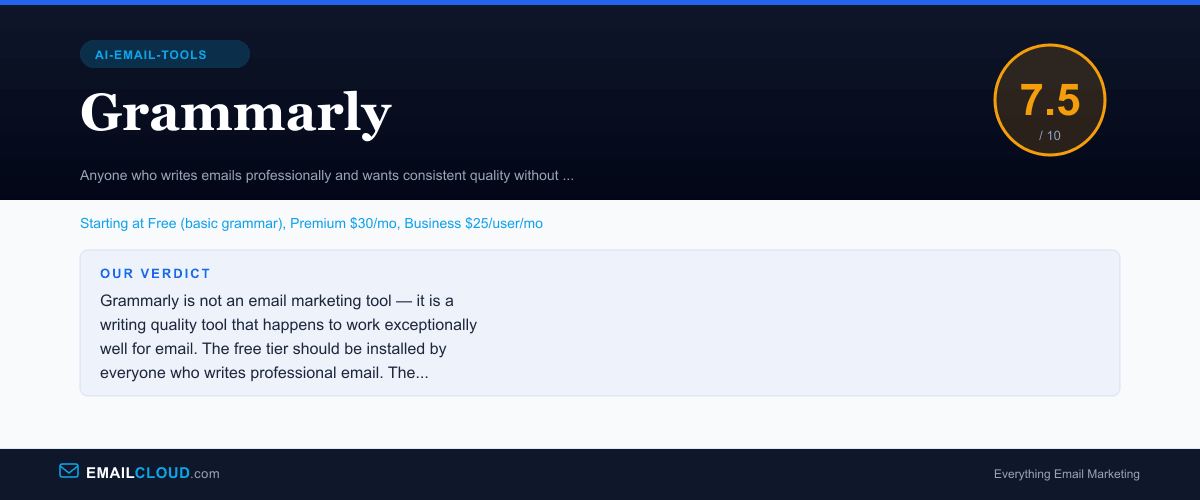
Grammarly is not an email marketing tool — it is a writing quality tool that happens to work exceptionally well for email. The free tier should be installed by everyone who writes professional email. The premium plan is justified for high-volume writers who need tone detection, clarity scoring, and GrammarlyGO rewrites. It will not replace a dedicated email copywriting tool, but it makes every email better.
Review Summary
Share this visual summary. Right-click to save.
Frequently Asked Questions
Is Grammarly worth it for email marketing?
The free tier is worth it for everyone — there is no downside to catching grammar errors before they reach your subscribers. The premium plan at $30/mo is worth it for professionals who write high-stakes emails daily (sales, executive communication, client-facing campaigns) and do not have access to a human editor. For occasional email senders, the free plan covers the basics, and the premium features rarely justify the cost.
How does Grammarly's tone detection work?
Grammarly analyzes the linguistic patterns in your text — word choice, sentence structure, punctuation, formality markers — and classifies the likely tone a reader will perceive. It might flag that your email comes across as 'disapproving' when you intended 'direct,' or 'casual' when the context calls for 'formal.' This catches the subtle mismatches that cause miscommunication, particularly in professional email where tone is inferred from text alone.
Can Grammarly write emails for me?
GrammarlyGO, available on Premium and Business plans, can generate and rewrite email copy. You can ask it to compose a reply, shorten a draft, adjust formality, or rewrite for clarity. However, it functions more as an editor-assistant than a copywriter. For generating marketing email copy from scratch — subject lines, campaign bodies, sequences — tools like Jasper or Copy.ai are more capable. Grammarly excels at improving email you have already written.
Does Grammarly work inside email marketing platforms?
Yes. The Grammarly browser extension activates inside any web-based text editor, which includes the email builders in Mailchimp, ActiveCampaign, Klaviyo, Kit, and other ESPs. It checks grammar, spelling, tone, and clarity in real time as you type. The integration is seamless — you do not need to configure anything beyond installing the browser extension.
Stay ahead of the inbox
Weekly tips on deliverability, automation, and growing your list. No spam, ever.
No spam. Unsubscribe any time. We respect your inbox.