Copy.ai Review: AI Email Templates With a Generous Free Tier

Pros
- Genuinely useful free tier — 2,000 words/mo is enough to test AI email copy properly
- Pre-built email workflow templates cover cold outreach, launches, newsletters, and sequences
- Workflow automation can generate entire multi-email sequences from a single brief
- Clean, intuitive interface — minimal learning curve compared to more complex AI tools
Cons
- Output quality is inconsistent — some generations are strong, others need complete rewrites
- No brand voice training comparable to Jasper's — copy tends toward generic marketing tone
- Free plan's 2,000 word limit runs out fast when generating email sequences
What is Copy.ai?
Copy.ai is an AI copywriting platform built on the premise that generating marketing copy should be as simple as describing what you want and clicking a button. Founded in 2020 by Paul Yacoubian, the platform was one of the earliest commercial wrappers around large language models, initially focused on short-form marketing copy — headlines, ad text, product descriptions, and email subject lines.
The platform has evolved considerably since those early days. Copy.ai now includes workflow automation (called “Workflows”) that chains multiple AI steps together, a chat interface for freeform content generation, and a growing library of pre-built templates organized by use case. The company has also shifted its positioning from a solo marketer’s tool to a team-oriented GTM (go-to-market) platform, adding collaboration features and enterprise plans.
For email marketers specifically, Copy.ai offers templates for cold outreach, welcome sequences, promotional campaigns, newsletter content, follow-ups, and subject line generation. We tested the platform against real email campaigns across B2B outreach, ecommerce promotions, and newsletter content. This review covers the results.
Key Features for Email Marketers
Email Templates
Copy.ai organizes its email capabilities into specific templates, each designed for a particular use case:
- Cold Email: Generates personalized outreach emails from a recipient description and value proposition. The output follows standard cold email structure — personalized opener, problem statement, solution pitch, soft CTA. Quality varies: roughly one in three generations produces something sendable without major editing.
- Follow-Up Email: Creates follow-up sequences with varied angles — social proof, urgency, value restatement, breakup messaging. The angle variation is genuinely useful for teams that struggle to write fresh follow-ups.
- Product Launch Email: Takes product features and benefits as input, generates launch announcement emails with AIDA or PAS frameworks. The structural quality is consistent even when the prose needs work.
- Newsletter Content: Generates newsletter sections from topic descriptions or URLs. This is one of Copy.ai’s weaker areas — newsletter copy requires a distinct editorial voice that the tool struggles to capture.
- Subject Lines: Produces 8-12 subject line variants per generation. In our testing, 2-4 per batch were worth considering. Run the best through our Subject Line Grader to validate before committing to a send.
The template approach is both a strength and a weakness. It makes the tool immediately usable — you do not need to learn prompt engineering to get decent results. But it also constrains the output to predictable patterns. If you need a genuinely unconventional email approach, Copy.ai will not surprise you.
Workflow Automation
Copy.ai’s Workflows feature is the most interesting capability for email marketers and the feature that most distinguishes it from simple AI text generators. A workflow chains multiple generation steps together, with the output of each step feeding into the next.
For email marketing, this means you can build a workflow that:
- Takes a product brief as input
- Generates a campaign theme and key messaging pillars
- Creates a 5-email sequence with varied angles for each email
- Produces 3 subject line variants for each email in the sequence
- Drafts a corresponding landing page headline and subhead
The entire sequence generates in under a minute. The output is not production-ready — it never is with current AI tools — but having a complete campaign skeleton in 60 seconds instead of spending two hours on a blank page represents a real productivity gain.
We found Workflows most valuable for producing campaign structures for repetitive email types — weekly promotional sends, seasonal campaigns, regular product updates. The patterns are predictable enough that AI handles the structure well, and your editing time focuses on voice and specifics rather than architecture.
Chat Interface
Beyond templates, Copy.ai provides a chat interface where you can have a freeform conversation to develop email content. You might describe your campaign goals, your audience, and your constraints, and iteratively refine the output through follow-up prompts.
The chat interface is functionally similar to using ChatGPT or Claude directly but with the convenience of being integrated into Copy.ai’s editor and workflow tools. If you are already proficient at prompting general-purpose AI models, this feature adds limited value. If you prefer a guided interface, it is helpful.
Pricing Breakdown
Copy.ai’s pricing structure is one of its competitive advantages:
- Free Plan: 2,000 words per month, one user seat, access to all templates and the chat interface. No credit card required. This is a genuinely useful free tier — enough to test AI email copy across several campaigns before deciding if it saves you time.
- Pro ($49/mo): Unlimited words, 5 user seats, workflow automation, priority support, API access. Annual billing drops this to $36/mo.
- Enterprise (custom pricing): SOC 2 compliance, SSO, dedicated account management, custom workflows, advanced security. Aimed at large marketing teams with compliance requirements.
The free plan is Copy.ai’s strongest differentiator in the AI email tools category. Jasper has no free tier. Grammarly has a free tier for editing but not for generation. The ability to generate 2,000 words of email copy per month without paying anything makes Copy.ai the obvious starting point for marketers who want to test whether AI copywriting improves their workflow.
At $49/mo, the Pro plan matches Jasper’s Creator pricing. The comparison at this price point favors Jasper for brand consistency (Brand Voice) and favors Copy.ai for workflow automation and the lower barrier to entry via the free plan.
Who It’s Best For
Copy.ai delivers the most value for specific email marketing profiles:
- Solo marketers and small businesses who send regular email campaigns but cannot afford or justify a $49+/mo AI tool. Start with the free plan, validate the workflow, then upgrade if the time savings warrant it.
- Sales teams writing cold outreach sequences. The cold email and follow-up templates produce reasonable first drafts that save time on the most tedious part of outbound — writing the initial sequences. For more advanced sales email optimization, consider Lavender for real-time coaching.
- Agencies producing email content for multiple clients. Workflows can batch-generate campaign frameworks that individual copywriters then customize per client. The time savings scale with the number of clients.
- Non-native English speakers drafting email campaigns for English-speaking audiences. Copy.ai produces grammatically clean, idiomatically natural copy that needs less polishing than manual drafts.
Limitations
Several limitations are worth understanding before committing to Copy.ai for email:
Inconsistent output quality. This is the primary issue. Generate five emails from the same prompt, and you will get one strong draft, two acceptable ones, and two that need complete rewrites. The variance is higher than with Jasper, likely because Copy.ai lacks comparable brand voice training to anchor its output. Budget editing time into your workflow.
No brand voice training. Copy.ai offers tone selection (professional, casual, witty, etc.) but not the deep brand voice analysis that Jasper provides. If brand consistency across campaigns is critical — and for established brands, it should be — this is a meaningful gap. You can partially compensate by including brand voice instructions in your prompts, but the results are less reliable than Jasper’s trained models.
No deliverability awareness. Like all general AI writing tools, Copy.ai has no understanding of email-specific constraints. It will generate subject lines with spam trigger words, use formatting that renders poorly in email clients, and produce copy lengths that exceed mobile preview windows. Always validate AI-generated email copy against deliverability best practices. Our Spam Word Checker catches the most common trigger words before they tank your inbox placement.
Free plan runs out fast. Two thousand words sounds reasonable until you realize that a single 5-email welcome sequence with subject line variants can consume 1,500 words. If you use Copy.ai for all your email copy, the free plan lasts about a week for an active marketer. It is enough to test the tool, not enough to rely on it.
Generic output without careful prompting. Copy.ai’s default output reads like a marketing textbook — technically correct, structurally sound, but devoid of personality. Making the output distinctive requires detailed prompts with specific examples, competitor references, and tone guidance. This partially defeats the time-saving purpose of using an AI tool.
How It Compares
The AI email tools landscape has several distinct options, and Copy.ai occupies a specific position:
- Vs. Jasper: Jasper produces more consistent output and offers Brand Voice training that Copy.ai lacks. But Copy.ai’s free tier makes it the better starting point, and Workflow automation is more developed. If you are choosing between the two at $49/mo, Jasper is the stronger tool for email. If you are choosing between Copy.ai’s free plan and paying nothing, Copy.ai wins by default.
- Vs. Grammarly: Different tools entirely. Grammarly edits and improves your existing copy. Copy.ai generates new copy from scratch. Many email marketers would benefit from using both — Copy.ai for the draft, Grammarly for the polish.
- Vs. our free tools: For subject line optimization specifically, our Subject Line Grader provides scoring and improvement suggestions at no cost. Copy.ai generates subject lines but cannot score them. For spam detection, our Spam Word Checker catches issues that Copy.ai’s generator creates. Use the free tools as a quality gate on AI-generated copy regardless of which generation tool you use.
For a comprehensive look at how AI fits into modern email strategy, see our guide on AI email copywriting.
The Bottom Line
Copy.ai is the right tool for the right expectations. It will not produce brilliant email copy that makes your subscribers weep with joy and click every link. It will produce competent first drafts that save you 30-60 minutes per campaign and give you raw material to refine.
The free plan is the strongest reason to try it. Zero financial risk, enough words to test across several real campaigns, and a clear upgrade path if the workflow proves valuable. The inconsistent output quality and lack of brand voice training keep it behind Jasper for teams that need polished, on-brand copy at scale. But for marketers who want to dip a toe into AI-assisted email without spending a dollar, Copy.ai is where to start.
Generate the draft with Copy.ai. Check it with Grammarly. Score the subject line with our Subject Line Grader. Scan for spam triggers with our Spam Word Checker. That workflow — free AI generation plus free quality tools — gets you 80% of the value of a $49/mo subscription at zero cost.
Our Verdict
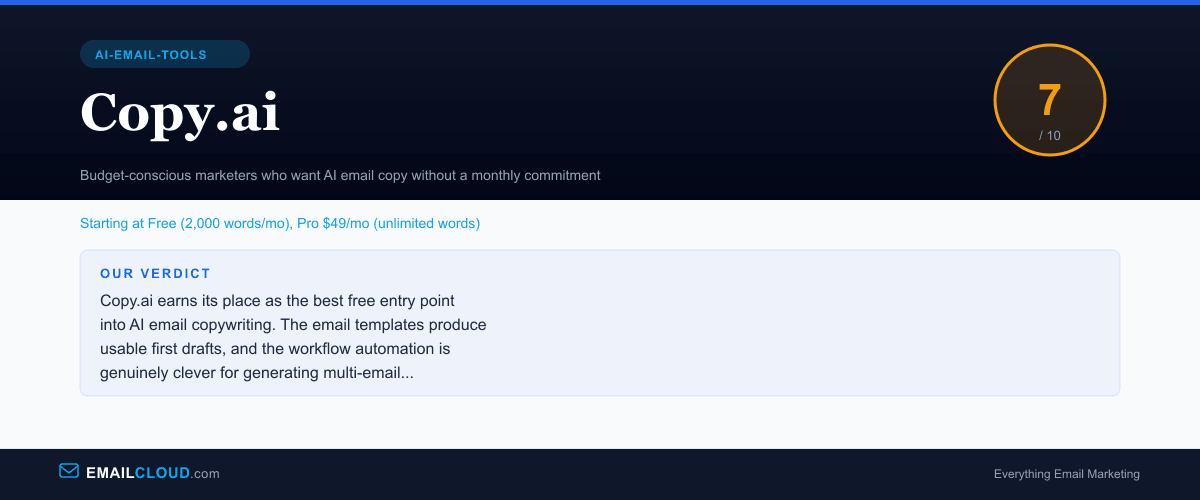
Copy.ai earns its place as the best free entry point into AI email copywriting. The email templates produce usable first drafts, and the workflow automation is genuinely clever for generating multi-email sequences. But inconsistent output quality means you will spend real time editing, and the lack of brand voice training keeps it behind Jasper for teams that need polished, on-brand copy.
Review Summary
Share this visual summary. Right-click to save.
Frequently Asked Questions
Is Copy.ai good for email marketing?
Copy.ai is a serviceable tool for generating email copy, particularly for marketers who need a starting point rather than polished final copy. The email templates cover the major use cases — cold outreach, welcome sequences, promotional campaigns, and newsletters. However, output quality varies significantly between generations, and most output requires meaningful editing before it is ready to send. It works best as a brainstorming accelerator rather than a turnkey copy solution.
How does Copy.ai compare to Jasper for email?
Jasper is the stronger tool overall for email marketing, primarily because of its Brand Voice feature, which learns your tone and maintains it across campaigns. Copy.ai does not offer comparable brand training. However, Copy.ai has a free tier that Jasper lacks, making it the better choice for testing AI email copy without financial commitment. At the same $49/mo price point, Jasper provides better output consistency and brand customization.
Is Copy.ai's free plan enough for email marketing?
The free plan provides 2,000 words per month, which is roughly enough for 4-6 short marketing emails or 2-3 longer campaign emails with subject line variants. If you send weekly campaigns, you will hit the limit halfway through the month. It is best used for testing whether AI copy improves your workflow before committing to the Pro plan.
What can Copy.ai's workflow automation do for email?
Copy.ai's workflow feature lets you define a campaign brief — product description, audience, goals, tone — and automatically generates multiple connected pieces of content. For email, this means you can produce a welcome sequence, a promotional series, or a drip campaign from a single input. The automation is genuinely time-saving for the first draft, but each generated email still needs individual review and editing.
Stay ahead of the inbox
Weekly tips on deliverability, automation, and growing your list. No spam, ever.
No spam. Unsubscribe any time. We respect your inbox.